Table of Contents (click to expand)
Email isn’t truly instant because it uses a store-and-forward model: your message is queued and relayed through one or more mail servers, and it can be held briefly for spam checks or greylisting. Instant messaging keeps a live connection to a central server that pushes your text straight to the recipient, which is why it feels immediate.
I should start by saying that these days, most emails do not take more than a few minutes (at most) to reach their destination. In other words, they’re almost as fast as instant messages, in most cases. Of course, instant messages shall always be a bit faster, but it’s not like emails are sluggish in comparison.
Why Don’t Emails Get Delivered As Fast As Instant Messages?
The primary reason why emails take minutes or even hours to reach their destination is that they are designed to traverse through a number of mail servers, something that can take time. Unlike instant messages, emails must meander through a couple of ‘stations’ before they finally show up in the recipient’s inbox.
How Emails Work
When you finish writing an email and press ‘Send’, your email client (like Outlook, Gmail or your phone’s mail app) connects to an outgoing mail server using a protocol called SMTP (Simple Mail Transfer Protocol). Once the connection is established, your email is handed to that server, where it sits in a queue of outgoing mail. It’s akin to dropping a letter at the post office.
Your server now looks up where the email is going and connects to the mail server on the recipient’s end. If everything looks good, the recipient server says ‘All good! I will now take your mail,’ and your email gets delivered to the recipient server and then added to the queue of incoming messages. This is the part that can introduce a delay: if the receiving server is busy, momentarily offline, or applying a spam-fighting trick called greylisting (where it politely refuses a first-time sender and asks the sending server to try again a little later), your message simply waits in the queue and is retried until it gets through.
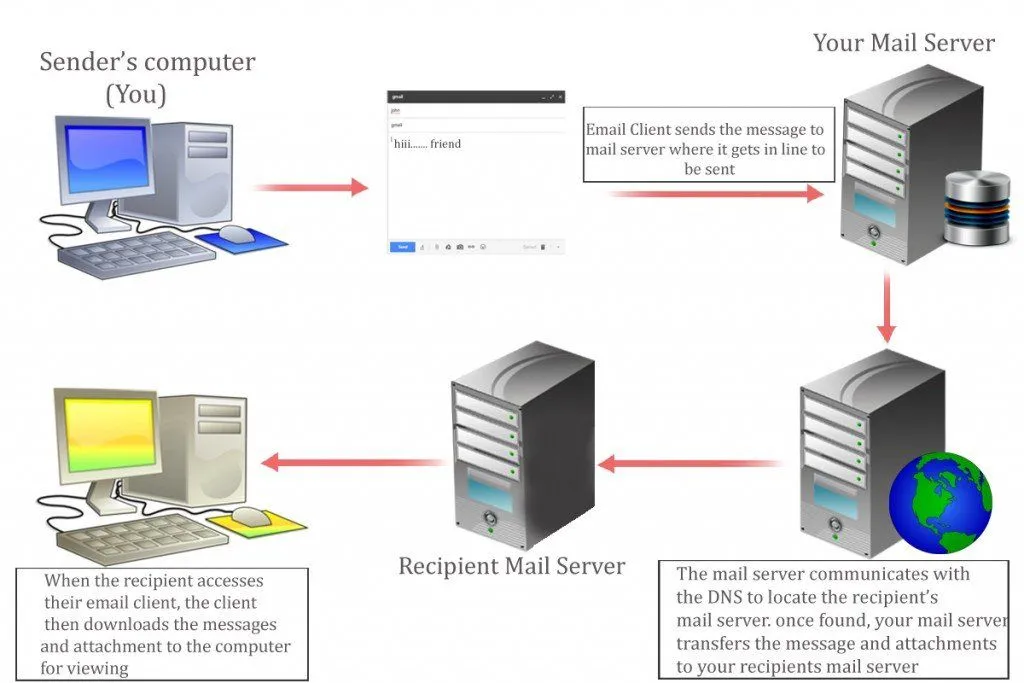
Now the recipient server checks whether the email address you sent the message to actually exists. If it does, then the server applies a couple of checks on the email (virus checks, spam filtering, etc.) and finally drops it into the recipient’s mailbox. In the old days, the email would just sit there until the recipient pressed the ‘Refresh’ button, essentially asking their email client, ‘Have you got anything new for me?’ Most modern clients no longer wait to be asked. Using a push feature called IMAP IDLE, they keep a connection open to the server and get notified the instant new mail arrives, so the message pops up on its own and voila! The email appears in their inbox!

How Instant Messaging Works
The thing that sets instant messaging apart from other forms of communication is its real-time nature. In other words, the experience is built around both parties (sender and receiver) being reachable at the same time, much like a phone call or a face-to-face conversation. There are more than a dozen instant messaging apps today, including WhatsApp, Facebook Messenger, Telegram, iMessage and Signal, which people use to talk to their friends all over the world.
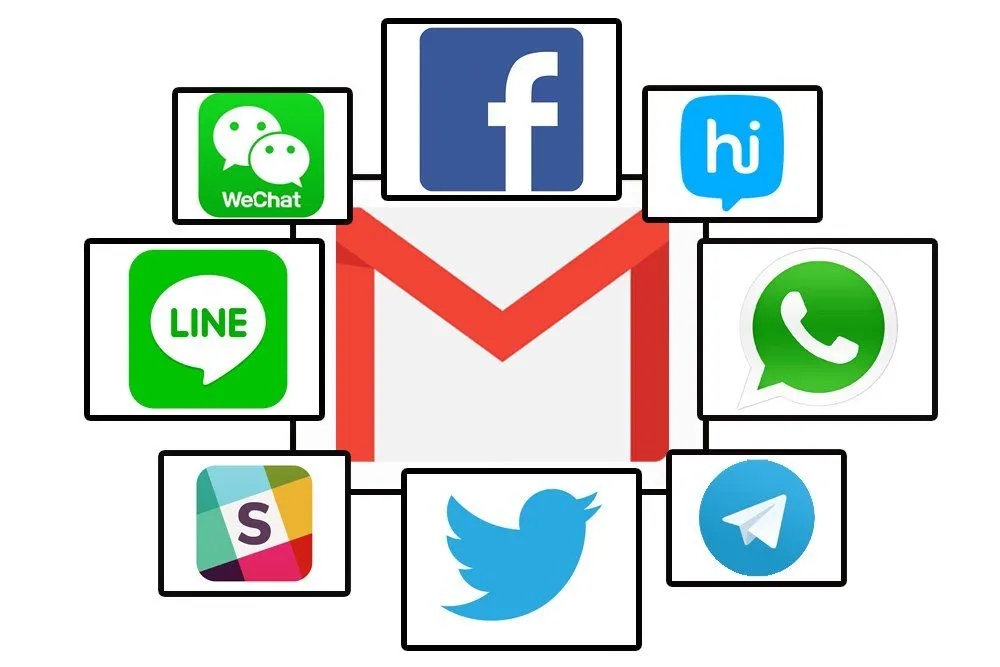
When you open an instant messaging app, it keeps a single, always-on connection to that service’s central servers, ready to fire the moment you start a conversation.
When you log on, that central server registers you as online and checks which of your contacts are online too. From then on, every text you send travels the same short path: from your phone up to the service’s server, and from there straight back down to your friend’s phone. (Older programs sometimes tried to wire the two devices together directly, but today’s big apps like WhatsApp and Messenger route everything through their own servers, which is what keeps delivery fast and reliable.) Because both of you hold that live connection open, messages can be pushed through in real time, the instant they’re sent. That’s why being ‘online’ comes with its own pros and cons.

Instant messaging works fast because both the sender and receiver are using the same app/program, which means that messages from both sides will be handled by the servers of the same service, unlike emails.
In a nutshell, email works on a store-and-forward model, which means that your mail is stored on the server until it gets delivered on the other side. This model comes with an inherent assumption that the receiver doesn’t expect to get the mail in real time. This model also has an important advantage: there is built-in redundancy, which means that if the primary server goes down, then your email is routed to a backup server, where it’s stored to be retrieved again later.
If the email can’t be delivered straight away, the sending server doesn’t give up easily. It keeps the message queued and retries delivery at increasing intervals, often for several days (the SMTP standard suggests holding on for at least four to five days) before it finally gives up and bounces the message back to you. Instant messaging works differently: it is built for real-time delivery, so if your message can’t reach the other side right now, it is simply held until you both have a connection, rather than being retried across days like email.
That’s why emails are not always as fast as instant messages.
References (click to expand)
- Simple Mail Transfer Protocol (RFC 5321). IETF
- Store and Forward. Wikipedia
- Greylisting (email). Wikipedia
- How Secure Email Works. Stanford University IT
- Parviainen, R., & Parnes, P. Mobile Instant Messaging. 10th International Conference on Telecommunications (ICT 2003). IEEE
- Instant Messaging. Wikipedia