A PDF records a page as fixed positions of text, fonts and graphics, not as the editable structure of the source file. That structure (paragraphs, tables, styles) is discarded when the PDF is created, so converting back to a parent format like Word or Excel means rebuilding it by guesswork, which is rarely accurate.
The friendly PDF file is indispensable to anyone with access to computers or smartphones. From school projects to important banking documentation, the importance of PDF documents can hardly be questioned.

However, every now and then, we’re required to make changes to our documents. Suddenly, PDF files don’t seem so friendly anymore. While PDF converters present a solution, they are seldom as accurate as the original file itself. Why does this happen?
A Primer On PDF Files
PDF is an acronym for Portable Document Format, a file format developed by Adobe in 1993 and built on its PostScript page-description language. It was proprietary for years, but Adobe released it as an open standard in 2008, and it is now maintained by the International Organization for Standardization as ISO 32000. The format standardizes documents, making them easy to exchange and view electronically.
The most salient feature of PDF files is that they can display a large variety of information across devices, and remain unconstrained by systems and hardware. Furthermore, this does not change the formatting, nor the way the information was originally laid out on the page. The trade-off is that a PDF describes a page as fixed positions of text, fonts and graphics, rather than as the editable structure (paragraphs, columns, tables) that the parent software used to build it.
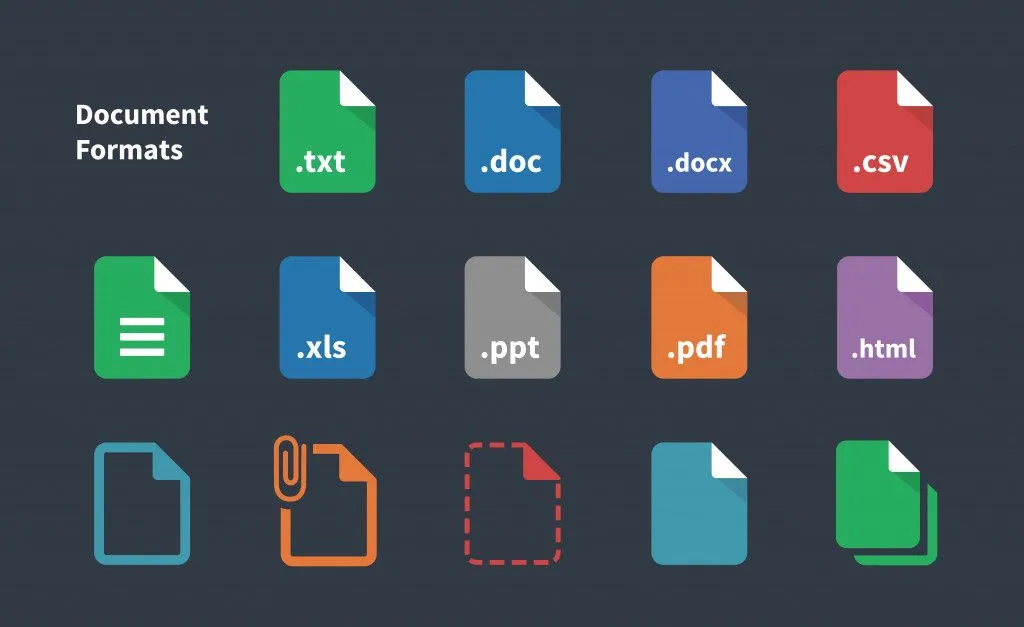
A PDF file is generated by converting a parent file into the PDF format, usually using built-in converters. Adobe designed it to be compatible with a myriad of file formats and elements, such as text, images, vectors, hyperlinks, 3D images, interactive graphics etc.
Why Are Files Converted To PDF?
Converting files to PDF presents several advantages, including the following:
1. No changes in layout
Converting a file to PDF ‘freezes’ information on it, making it immune to inadvertent changes when viewing or printing it.
2. Ease Of Exchange
Many documents require their parent software to be present on the computer where they are being viewed. Converting them to PDF files makes it easy to access them without depending on said software.
3. Document Security
PDF documents can be overwritten for purposes like proofing and signatures. However, they cannot be changed fundamentally at the source level without causing aberrations in layout and formatting. The cumbersome process prevents unwanted tampering with PDF files.
4. Ubiquity Across Devices
PDF files are designed to be viewed across all devices and systems, irrespective of the hardware and operating systems. So long as a device has a PDF reader, it will accurately reproduce the document for viewing.
Why Can PDF Files Not Be Converted To Their Parent Format?
The security offered by PDF files against tampering results in not being able to convert them to their parent format accurately. This can be attributed to the following reasons:
1. The Process Of Conversion To PDF
When a file is converted to PDF, its contents are parsed. Parsing involves breaking down a document into its constituent components so they can be re-described for the page. The conversion encodes each element along with its final position and appearance for portability and universal compatibility. What it does not preserve is the document's underlying logical structure, the very information that tells software which characters form a paragraph, which cells form a table, or how text reflows when you edit it. That higher-level structure is largely thrown away.
This makes the process of reverse conversion quite cumbersome, or even impossible in many cases. A converter has to infer paragraphs, columns and tables from nothing more than where the characters happen to sit on the page, and it often guesses wrong.
2. Inclusion Of Complex Elements
PDF files can be generated from a variety of documents. These can include commonly used software like word processors, spreadsheets, presentation tools and drawings. Concurrently, they can be generated from files made on specialized software like CAD, 3D printing and other files.
Needless to say, a given file can contain both general and legacy elements. These elements can include text, vector graphics, raster graphics, web links etc. The provision for converting a given element to its PDF counterpart is made in the parent software. The same cannot be said of conversion software designed to reconstruct the parent file.
During parsing, most details of the original layout and formatting are already lost. Apart from attempting to reconstruct a file from missing details, the converter is also faced with the hurdle of converting different types of elements.
Each element may be encoded differently, requiring different approaches and techniques for reconstruction. While simpler files with fewer elements are easier to convert, more complex files can be unwieldy and often result in a poor output.
3. Quality Of The PDF File
It is sometimes possible to receive old and poorly structured PDF files with no source files. In such cases, it is very difficult to reconstruct the file using a converter.
4. Origins Of The PDF File
When a PDF is not a born-digital document but a set of scanned pages wrapped into a file, converting it to an editable document is harder still. Each page is just an image of text, so the file contains pixels rather than real characters, fonts or vectors that a converter can read back.
In such cases, optical character recognition (OCR), and handwriting recognition for handwritten pages, becomes essential. OCR analyzes the picture, identifies the shapes as letters, and rebuilds machine-readable text from them. It is impressively good, but never perfect, so the output still needs proofreading.
Effect Of Retro-conversion Of A PDF File
Converting a PDF file to its parent document can have many effects depending on the conditions of the file. Here, we shall enumerate a few of these in commonly used file formats, such as .docx (word processing), .xlsx / .csv (spreadsheets) and a legacy format such as a .dwg file. Some of the shortcomings associated with these file formats include:
1. Word Processing (.Docx)
- Loss of formatting and orientation
- Change of fonts
- Loss of bulleting and nesting structure in documents
2. Spreadsheets (.Xlsx / .Csv)
- Breakdown of rows and columns in a single page onto individual sheets
- Conversion of merged cells into a text box
- Loss of original formatting
3. Legacy Formats (.Dwg)
- Warping of original components such as lines, circles and even labelling
- Overlapping of lines, resulting in a complete mismatch with the original file
- Loss of rendering and other visual cues
Does Reliable Retro-conversion Software For PDF Files Exist?
Even though converting a PDF file to its source format is a cumbersome task, many online freeware options exist for this purpose. However, they’re not completely dependable in the case of PDFs generated from proprietary software, or those that contain very complex elements.
Adobe, the creator of the Portable Document Format, has a retro-conversion provision built into its own software, Acrobat. However, this is a paid feature, and its accuracy on complex PDFs is hit-or-miss.
A Final Word
Overall, attempting to retro-convert a PDF file can be complex and time-consuming. It may even require specialized software and techniques. The overall success of the effort is contingent on a number of factors that may or may not be apparent to the user.
Even so, the inconvenience of retro-conversion has little value in the face of the document security it presents, which makes PDFs indispensable to anyone who regularly uses computers in their personal and professional lives.
References (click to expand)
- PDF, Version 1.7 (ISO 32000-1:2008). Sustainability of Digital Formats. Library of Congress.
- PDF (Portable Document Format) Family. Sustainability of Digital Formats. Library of Congress.
- ISO 32000-2:2020. Document Management, Portable Document Format. International Organization for Standardization.
- PDF layers, Acrobat Pro. Adobe Inc.
- Adobe Document Services APIs Security Overview. Adobe Inc.