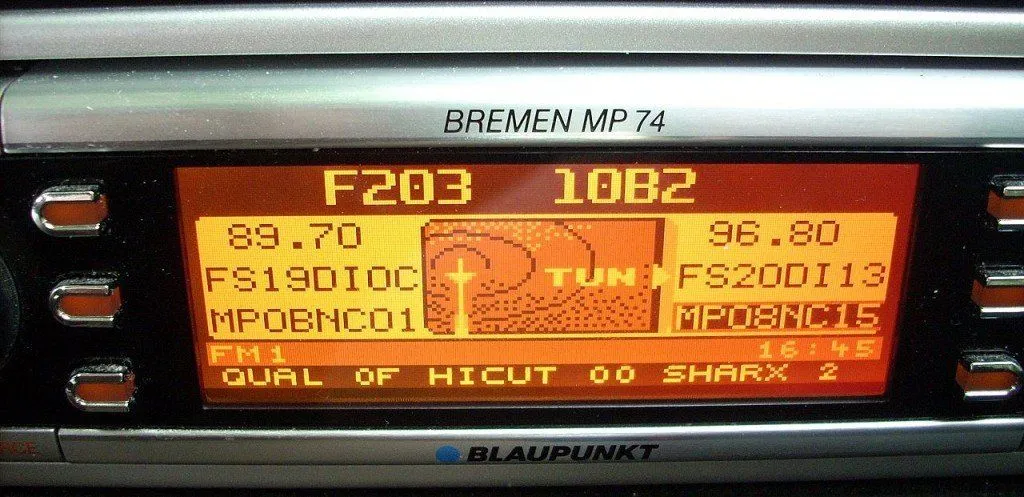
The song name is displayed on the radio with the help of a specific communications protocol called the Radio Data System, which embeds small bits of information in FM broadcast signals.
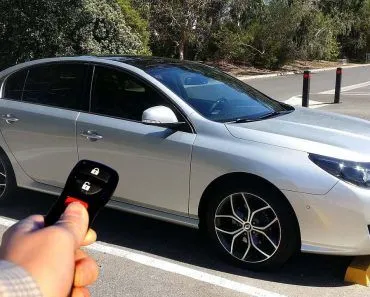
If you’ve ever paid attention to your car radio, more specifically, to its display, then you probably noticed that while playing music in a newer car, the display shows the name of the song, the name of the artist and the album, along with the name of the radio station. These details are also updated as soon as the song changes.
Have you ever wondered how these details are broadcast via radio?
Before we delve any deeper, we need to back up a bit and understand a thing or two about how radio works.
How Does Radio Work?
Radio, in common language, is usually thought of as a gadget that plays songs and delivers news and weather updates. However, from a technical standpoint, radio is the name of the technology that uses radio waves to wirelessly transmit information through space. Radio waves are a part of the electromagnetic spectrum, which is an umbrella term for all the frequencies of electromagnetic radiation.
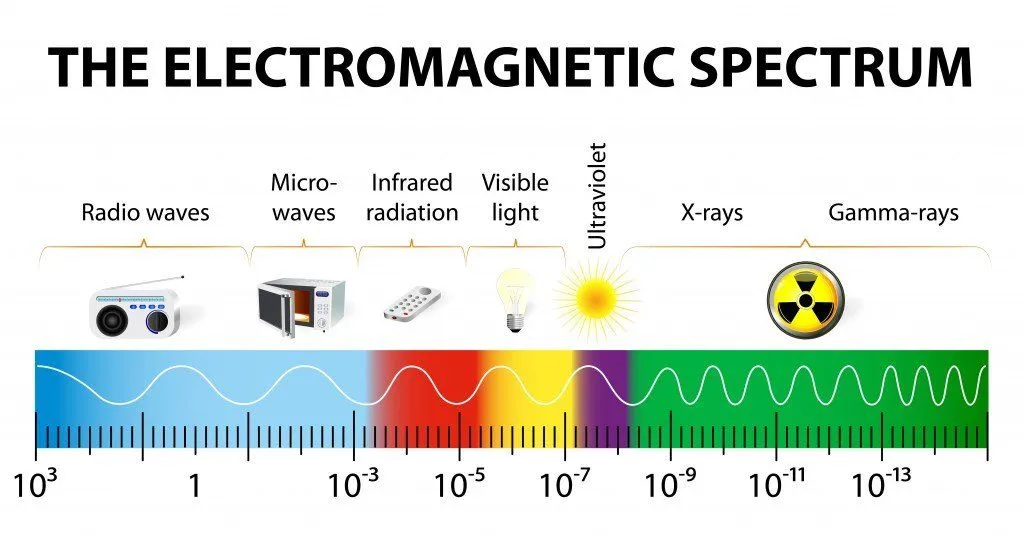
Visible light – the light that helps us see and perceive things – is also a part of the electromagnetic spectrum; UV, Infrared and Gamma rays are some of the other elements, each of which has their own applications.
Transmission Of Information Through Radio Waves
Radio waves have the ability to carry information with them, and therefore have numerous applications in our world. Communication on mobile phones, wireless Internet connectivity through WiFi, data connection on smartphones, our ability to be constantly in touch with the crews of spacecraft and probes that are thousands of kilometers away from Earth, and a number of other things only work because of radio waves.
Suppose you’re the owner of a radio station and you want to send a radio signal (also called an ‘input signal’ or ‘information signal’, as it contains audio information in the form of music, human voices etc.) to all your listeners. To do that, you need to superimpose your input signal onto a ‘carrier wave’, since your input signal is not powerful enough to travel hundreds of miles on its own. If you own a music station, you are almost certainly going to use FM or Frequency Modulation, wherein the frequency of the carrier wave is modified in accordance with the amplitude of the input signal.
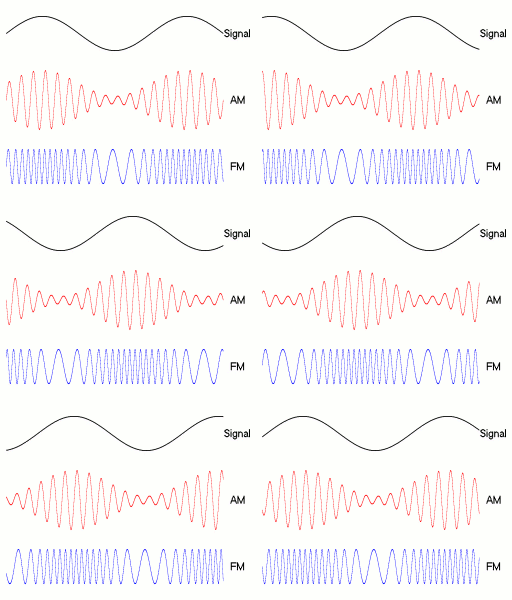
On the other hand, you are more likely to go with AM or Amplitude Modulation if you own a news station. You can read about the differences between FM and AM in detail here.
How Do Car Radios Display Textual Information?
As mentioned earlier, radio waves have the ability to carry information along with them. It works like this: every FM radio station is given a chunk of spectrum (around 200 kHz wide in the US) on which they can broadcast their content, and a small sliver of that channel is set aside for extra data. The trick is that the digital text is layered on top of the audio: it rides on a 57 kHz subcarrier (chosen because it is exactly three times the 19 kHz stereo pilot tone, which keeps it from interfering with the music) and squeezes in at a very slow 1,187.5 bits per second, just enough to send the song title, station name, news, weather, and traffic alerts (Source).
This sort of information transmission in radios is carried out through a communications protocol standard called Radio Data System (RDS). It is a protocol that allows broadcasters to send much more than just their analog audio signal through radio waves. Some of the most common types of transmitted information that RDS standardizes are time, station details, program and music information, and news and traffic bulletins.
It originally began in Europe as a project of the European Broadcasting Union, but has now become an international standard of the International Electrotechnical Commission and is used in many countries around the world. Note that the US version of the RDS is officially referred to as RBDS (Radio Broadcast Data System).
Does Your Radio Recognize The Song, Or Does The Station Send It?
Here is the part that trips up most people: your car radio is not listening to the music and working out what is playing. It has no idea whether you are hearing a guitar solo or a weather report. The song title, artist and station name you see on the screen are simply text that the radio station broadcasts alongside the audio, and your receiver does nothing more than decode that text and print it on the display. In other words, the dashboard is a display, not a song detector.

RDS actually carries this information in two different text fields. The Programme Service (PS) name is a short label of up to eight characters that is meant to hold the station name, and it is the field most receivers show by default. The longer message, called RadioText (RT), can hold up to 64 characters and is the field that usually carries the song title and artist. A newer extension, RadioText Plus (RT+), lets the station tag exactly which slice of that text is the artist and which is the title, so a tidy receiver can split them onto separate lines.
So who actually fills in the "now playing" line? At the station, the playout or automation system passes the track details to an RDS encoder, which weaves them into the broadcast signal. Some broadcasters even run an audio-fingerprinting service in the background to identify a track and feed the result to the encoder, which is the closest the chain ever gets to anything Shazam-like. The crucial difference is that this recognizing happens at the broadcaster, never inside your dashboard. It also explains why the display sometimes freezes on the wrong song: if the station's automation loses its data link to the encoder, your radio keeps faithfully showing the last text it was sent, even as a different song plays.
How To Show (Or Fix) The Song Name On Your Car Radio
If your screen shows the frequency but never the song, the data is usually already there; you just have to switch on the display for it. On most head units the option lives under a menu such as Settings > Radio or an Info button, where you enable "Radio Text" or "RDS". It is often switched off by default, and on many cars these radio menus are greyed out while you are driving, so it is easiest to set this with the car parked.

Even with the setting on, two things are out of your hands. First, the receiver has to support RDS (or RBDS in North America) in the first place; a bare-bones or older head unit may simply have no text line to fill. Second, and more often, the song name depends entirely on the station: if a broadcaster does not transmit RadioText, or only sends its name and not the track, there is nothing for your radio to show no matter which buttons you press. That is why one preset scrolls full song details while the next stays blank.
When the text is plainly wrong rather than missing, the fault is almost always at the station rather than in your car. A stale or stuck title usually means the broadcaster's encoder lost contact with its music system, so tuning to a different station is the quickest way to confirm your radio is fine. If your own receiver seems frozen, toggling the radio text option off and back on, or briefly switching the unit off, normally refreshes the display.
Usage Of RDS In Other Appliances To Control Electricity Consumption
In addition to radios, this RDS technology could be used in many other appliances, including clothes dryers, water heaters, swimming pools, dishwashers etc. It would facilitate time-based pricing to exercise better control of electricity consumption during periods of high usage (when the cost of electricity is higher). It would also assist in better load management for electricity grids.
It could also help public service broadcasters break in on commercial radio transmissions to broadcast emergency warnings, which could prompt the rapid dispersal of very urgent news to the masses in an effective way.
Looking at the little bursts of information flashing on the display of your car radio, did you ever realize that the technology behind it could significantly help energy conservation or save lives in the event of a disaster? Probably not, but you will now!