‘C’ is the default Windows drive letter because ‘A’ and ‘B’ were already taken. The CP/M operating system of the 1970s, and then MS-DOS and the original IBM PC, reserved ‘A’ and ‘B’ for the two floppy drives. When hard disks arrived on PCs in the early 1980s (most famously the 1983 IBM PC XT), they got the next letter, ‘C’, and the convention stuck.
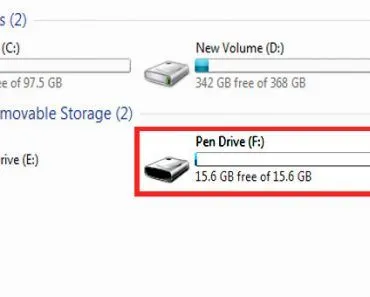
Open the ‘This PC’ icon on a Windows computer (it was called ‘Computer’ or ‘My Computer’ in older versions), and a window that looks something like the picture below will pop up:
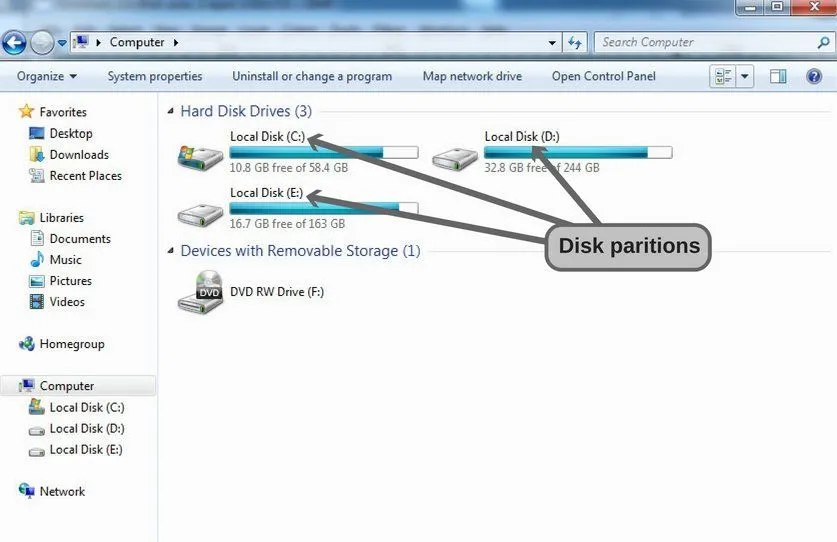
If you’re the sort of user who leaves the factory defaults alone, you will notice that the hard drive almost always starts with the letter ‘C’. Among all the partition icons (C, D, E and so on, depending on how many partitions you have created), the first one carries the letter C. Plenty of people never bother to partition at all, and they end up with a single drive titled ‘Local Disk (C:)’.
Why is that? Why is ‘C’ the default drive letter, rather than ‘A’, which would make more intuitive sense, on so many computers? As it turns out, there is a genuinely interesting reason behind this C-drive dominance, and it has nothing to do with the letter C itself.
The Early Stages Of PCs
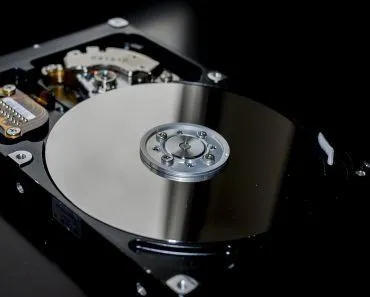
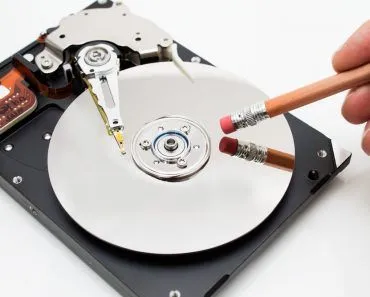
You might be a bit surprised to know that the hard disk drives we now treat as the basic storage unit of any computer were rare on home and office PCs well into the early 1980s. Hard disks themselves had existed since 1956, when IBM shipped the room-sized 350 RAMAC (a 3.75 MB cabinet weighing more than a ton), but for decades they remained far too expensive and bulky to be standard kit on a personal computer.
Floppy Disks
To cover storage needs, those early PCs shipped with a floppy disk drive, i.e. a device that could read removable magnetic disks. Younger readers may not have ever handled one, but floppy disks are flat, squarish plastic shells containing a thin magnetic disc that stores data, and for two decades they were the standard way to move files between computers.
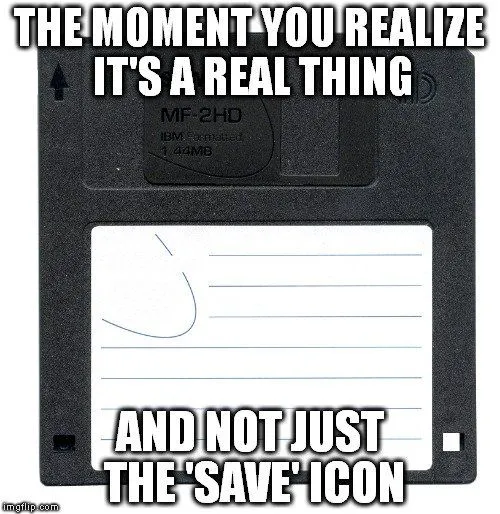
Capacity was tiny by modern standards. A 5 1/4″ double-density disk held just 360 KB; the common 3 ½” high-density disk that dominated the 1990s topped out at 1.44 MB. Even the largest mainstream variant, the 3 ½” extended-density disk, peaked at 2.88 MB. Compare that to today’s pocket-sized USB sticks, which routinely hold tens of thousands of times more data.
It’s no surprise, then, that floppies were rapidly displaced by CDs, then by USB flash drives, and finally by cloud storage. By the late 2000s most new PCs shipped without a floppy drive at all, and Sony, the last major manufacturer of 3 ½” diskettes, halted production in 2011. Finding a working floppy drive on a modern computer today is more or less a museum exercise.
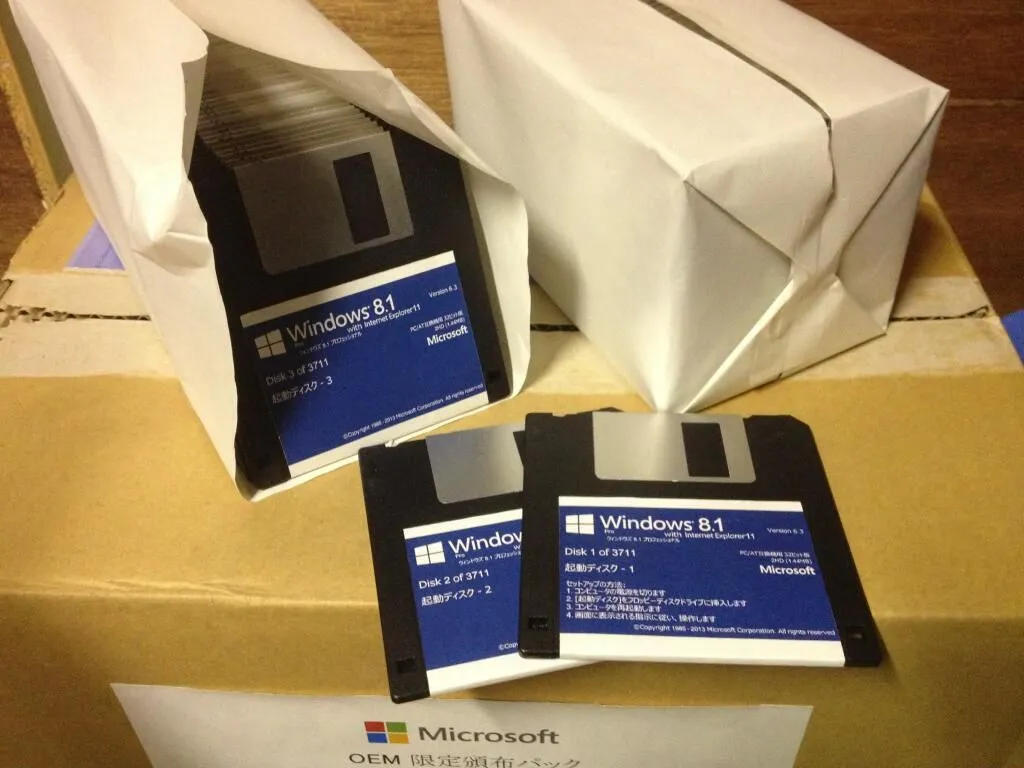
Returning to the point: under CP/M (the dominant microcomputer OS of the late 1970s) and then MS-DOS, the first floppy disk drive was labeled ‘A’. The convention spread further when the original IBM PC arrived in 1981, often configured with two 5 1/4″ floppy drives. The second drive was, quite predictably, labeled ‘B’. No other disk types were standard on those early machines, so the two labels (‘A’ and ‘B’) became permanently associated with floppy disk drives at the BIOS and OS level.
Dawn Of The Hard Disk Drive Era
Everything we have just discussed was set in the era when hard disk drives were far too costly to bolt into every desktop. That began to change in 1983, when IBM launched the PC XT with a built-in 10 MB Seagate ST-412 hard disk for a then-eye-watering $4,995. Over the next few years, Seagate and other suppliers drove prices down, and by the late 1980s a hard drive was a standard feature on most new PCs. These machines still had two floppy drives sitting at A: and B:, so the new arrival was given the next free letter. Calling it ‘C’ was the logical thing to do.
Times changed and floppy disk drives eventually disappeared from PCs altogether, but the label ‘C’ stuck to the boot drive. That is why most Windows computers, from Windows XP all the way to Windows 11, still come with the first partition labeled ‘Local Disk (C:)’ by default. The convention is not set in stone (any administrator can reassign drive letters in a few clicks via the Disk Management tool), but with decades of installers, registry entries, and scripts hard-coded to expect C:, very few people bother. The reasoning is simple…

So What Exactly Is The C Drive, And What Is A Drive Letter?
Before going any further, it helps to be clear about what we are actually naming. A drive letter is simply a single-character label (followed by a colon, as in C:) that Windows assigns to a volume, i.e. a storage area the operating system can read from and write to. That volume might be an entire hard disk drive, a single partition carved out of one, a USB stick, an optical disc, or a folder on a network server. The letter is just a convenient handle; the real thing behind it is the physical or logical storage device.

The C drive, then, is the volume Windows labels C:. On almost every Windows PC, that is the partition where the operating system itself lives, so it is also called the system or boot volume. When you double-click ‘Local Disk (C:)’, you are opening that main storage area, the place that holds Windows, your installed programs, and (unless you store them elsewhere) your documents. The $ you sometimes see, as in C$, is something different: it is a hidden administrative network share that Windows creates for each drive, used for remote administration rather than something you would browse day to day.
Because so much depends on it, Windows treats the C drive as special. As Microsoft’s own documentation puts it plainly, “You cannot change the drive letter of the system volume or boot volume.” You can freely reassign the letters of your other drives in a few clicks, but the drive Windows booted from stays put, which is one more reason ‘C’ tends to stick around for the life of a machine.
What About D, E And All The Other Drive Letters?
If ‘C’ is the first hard disk, what gets the letters that follow? Windows works through the alphabet in a fairly predictable order. After assigning A and B to floppy disk drives and C to the first hard-disk partition, it hands out D, E and onward to any additional partitions, extra internal or external hard drives, and optical (CD/DVD) drives, roughly in the order it finds them. So on a typical machine, the difference between Local Disk (C:) and a second volume such as (D:) is usually just that: C is the main system partition, while D is a second partition, a separate physical drive, or the optical drive, used for data, backups or recovery files.
The reason ‘A’ and ‘B’ were locked to floppies in the first place comes down to a piece of hardware called the FDC, short for Floppy Disk Controller. This was the chip (originally the NEC µPD765, fitted on a separate adapter card in the early IBM PC) that managed reading from and writing to floppy drives, and it lived at fixed, hard-coded input/output addresses. A standard PC floppy controller could handle up to four drives, but machines typically shipped with one or two, so the first two letters of the alphabet were effectively reserved for it at the BIOS level. The hardware is long gone from modern PCs, yet the convention it created still shapes how letters are handed out today.

There is an upper limit to all of this. A Windows computer can use only 26 drive letters, A through Z, because there are only 26 letters in the alphabet (there is no ‘AA’ or ‘BB’). Local hard drives are typically assigned letters from C upward, while mapped network drives are conventionally assigned in reverse order, from Z downward, so the two groups meet in the middle and rarely collide. If you ever run out, Windows lets you skip the letters entirely and mount a drive inside an empty folder instead, which is how data centers attach far more than 26 volumes to a single machine.
References (click to expand)
- Drive letter assignment. Wikipedia
- IBM Personal Computer XT. Wikipedia
- Why "C" is the Default Hard Drive Letter in Many Computers. todayifoundout.com
- Why is Windows giving my hard disk the letter C and not A or .... Stack Overflow
- Why 'C' is the Default Hard Drive Letter in So Many .... Gizmodo
- Assign, change, or remove a drive letter. Microsoft Learn
- Change a Drive Letter. Microsoft Learn
- Floppy disk controller. Wikipedia
- Remove administrative shares (C$ administrative share). Microsoft Learn