Table of Contents (click to expand)
The attempt limit only guards a website’s live login screen. Hackers mostly sidestep it altogether, using phishing pages, malware and password reuse to grab credentials. And when they steal a site’s password database, they crack the stolen hashes offline on their own machines, where no lockout applies.
As a kid, I was always fascinated by the idea of passwords. I thought of them as mystical, powerful words or phrases that let me access all my secret vaults. Obviously, those “secret vaults” were common email services that most people have to sign up for. In other words, there was nothing particularly fancy about those vaults.
However, in the world we live in today, it’s virtually impossible to access any digital service without using a password.
Service providers, in a bid to ensure that your personal data and information is protected, urge you to use strong passwords. To add another layer of security, they limit the number of incorrect password attempts you can make (usually 3 attempts).

Despite such security measures being in place, we often hear of cyber attacks wherein hackers leak the passwords and personal data of thousands of users of an app/website/online service.
If there is a maximum limit to the number of incorrect passwords (usually three incorrect attempts) that you can try, then how do hackers, who don’t have the slightest idea of people’s passwords, gain access to so many accounts?
As it turns out, hackers can employ a number of techniques to make that happen.
And you’d be surprised to know that in most cases, hackers don’t have to ‘guess’ your passwords at all…
That’s the key to the whole puzzle: the three-strikes limit only protects the website’s live login screen. As we’ll see, most attacks never touch that screen, and the ones that do brute-force a password do it far away from it, where no limit applies.
How Hackers Figure Out Passwords
Phishing
Phishing is a notorious, yet very common method of acquiring absolutely accurate login credentials of a user. In this method, you (the user) will be contacted by an email, text message or even telephone call, and will be asked to provide sensitive data, such as passwords, banking information, credit card details or personally identifiable information, all of which could potentially give them access to your account.
A very common phishing device is email. One fine day, you may get an urgent email from your “bank”, informing you that there is unusual activity on your account, and that you need to check that everything is alright by signing into your bank account through the link provided in the same email.
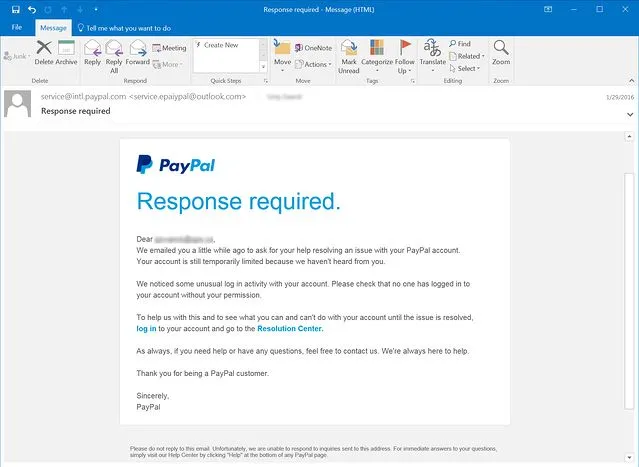
When you enter your login credentials in the webpage that the email leads you to, they get copied and become visible to a hacker who sent you the fake bank email in the first place.
Your username and password have thus successfully been stolen.
Did you see what happened here?
The hacker didn’t have to attempt to enter your account with an incorrect password even once; you gave them your login credentials on a platter.
Malware On Your Device
Another common method of getting a user’s login info is installing malware on their device (laptop, computer, smartphone etc.).
Malware installed on your device can recover passwords that you have saved on your browser. It can even track your keystrokes and obtain your login information through that sneaky approach.
As you can see, even in this method, hackers don’t have to actively steal your password; their malware does that for them.
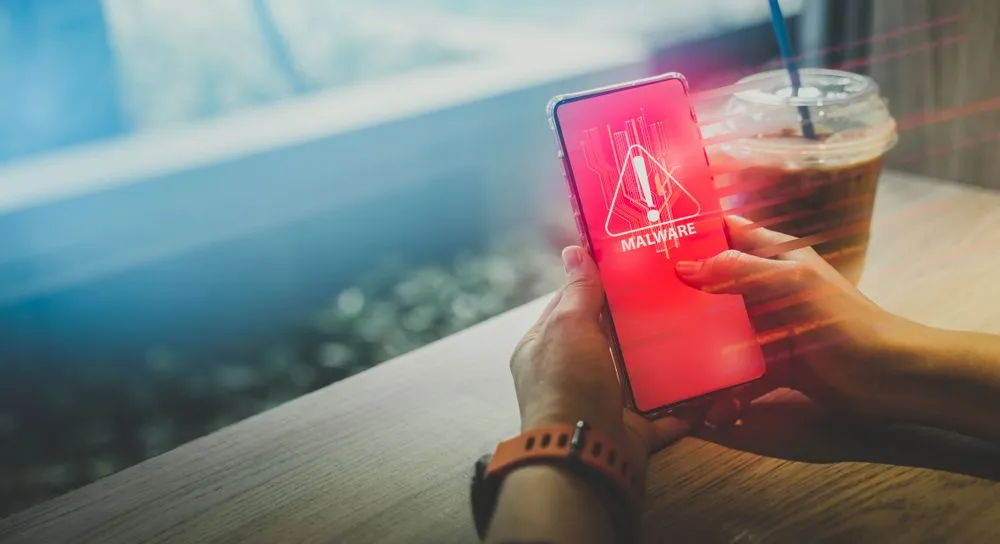
This is why it’s highly recommended to have a good antivirus program installed on your system and avoid ever using suspicious software and websites.
Password Spraying
This is a kind of attack in which a hacker attempts to access a large number of accounts using only a few popular passwords. What this means is that a hacker doesn’t try to hack one account with a lot of password attempts, but instead tries to break into many accounts using just a few very commonly used passwords.
If you look up “most common passwords” online, you’ll see that a huge number of internet users still pick “123456,” “admin” and “password.” In NordPass’s 2025 analysis, “123456” topped the global list yet again, and the firm estimated that most of the world’s common passwords can be cracked in under a second.
Why do people keep using them?
Because “123456” is easy to remember.
So, if you’ve used a weak password on one of your online accounts, a hacker will be able to gain access to it without trying multiple times.
External Factors
Bad Website Security
Your strongest password is only as good as the website on which it’s used. If that site is breached, attackers can walk off with the entire database of stored passwords for all its users in one go.
And here is the answer to the question in the title: that stolen database is exactly where the three-attempt limit stops mattering. The limit only throttles guesses typed into the live login form. Once the password file is sitting on a hacker’s own computer, they can test billions of guesses per second against it, with no lockout, no delay and nobody to stop them. This is called an offline attack, as opposed to the online guessing the attempt limit is designed to slow down.
Well-run sites blunt this by never storing your actual password. Instead they store a salted hash, a scrambled fingerprint produced by a deliberately slow algorithm, so that even a stolen database is painfully slow to crack. The catch is that a short or common password still falls quickly, which is why a long, unique password (and a site that hashes properly) matters so much. Modern guidance from the US National Institute of Standards and Technology (NIST) leans on exactly this combination: rate-limit login attempts on the front end, and salt-and-hash passwords to resist offline cracking on the back end.
Although major websites whose user base runs into the millions usually invest heavily in this, weaker hashing and outright breaches are common enough that you should assume any single password could one day leak, which is something to keep in mind whenever a site asks you to sign up.
Customer Service
Sometimes, a hacker that is particularly interested in targeting you may gain access to your account by calling a customer service helpline and obtaining your login information from there.
However, most well-established internet companies and organizations have safeguards in place to prevent this. This is why you always hear the phrase “never share your login information and password with our customer service executives during a call.”
These are some common methods by which someone can get access to your account without entering an incorrect password even once. The best way to protect yourself is to stick to legitimate software, applications and websites, and never reuse the same password across logins, so that one leaked password can’t unlock everything else.
A few habits do most of the heavy lifting: use a password manager to generate and store a long, unique password for every account; switch on two-factor authentication wherever it’s offered, so a stolen password alone isn’t enough; and don’t bother changing your passwords on a fixed schedule. Current NIST guidance actually advises against forced periodic changes and recommends resetting a password only when there’s evidence it has been compromised. And yes, perhaps most importantly, make those passwords long and strong!
References (click to expand)
- What Is Phishing? - Phishing. phishing.org
- Guidelines for Strong Passwords · Information Technology Services · Lafayette College - its.lafayette.edu
- How To Choose a Strong Password - Boston University. Boston University
- login.gov | Creating a strong password - login.gov
- NIST SP 800-63B-4, Digital Identity Guidelines: Authentication and Authenticator Management. National Institute of Standards and Technology (NIST)
- Use Strong Passwords. Cybersecurity and Infrastructure Security Agency (CISA)