Table of Contents (click to expand)
Your ISP can see the websites (the domains) you connect to, through your DNS lookups and the unencrypted Server Name Indication (SNI) field in the HTTPS handshake. It cannot see the specific pages or content on an HTTPS site. Incognito mode does not change this, but encrypted DNS (DoH/DoT) and Encrypted Client Hello can hide even the domain.
When you open an Incognito tab in Chrome or a Private window in Firefox, the first screen lets you know that while your browsing history and cookies will not be stored in this mode of browsing, you will still be visible to your government or internet service provider (ISP), i.e., they can see which websites you visit.
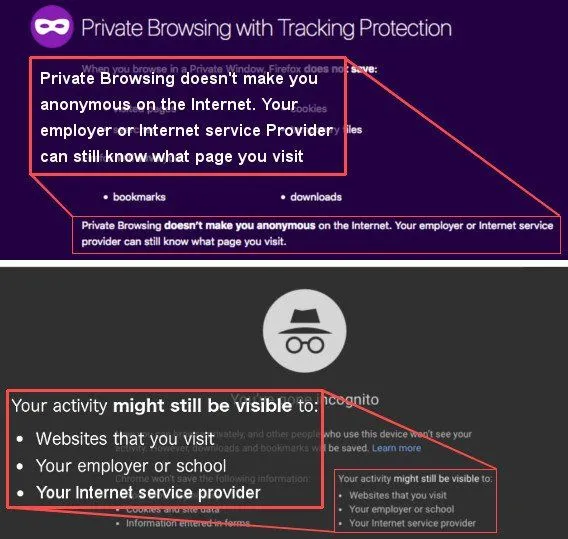
While reading that disclaimer on the blank page of such incognito tabs, have you ever wondered how your ISP can track your online activity?
Also, you might have heard that HTTPS-encrypted web pages cannot be read by a third party, i.e., no one else, except you and the website you’re on, can determine what you’re doing on that website (what pages you visit, what content you see etc.). And these days, almost the entire web is HTTPS-encrypted: Google reports that roughly 95% of the pages loaded in Chrome travel over HTTPS. So, can your ISP still know what you’re up to if all the pages you visit are HTTPS-encrypted (in simple words, their URL starts with “https://”)?
Let’s start with what HTTPS encryption really is.
What Is The HTTPS Protocol?
HTTPS is just good old HTTP, with an extra ‘S’ at the end. While HTTP stands for Hypertext Transfer Protocol, the extra “S” in HTTPS stands for ‘Secure’.
HTTPS is a kind of protocol where encrypted HTTP data is transferred over a secure connection. While HTTP pages are more vulnerable to snooping by third parties, HTTPS pages are not, as they encrypt your communication with the website you’re on.
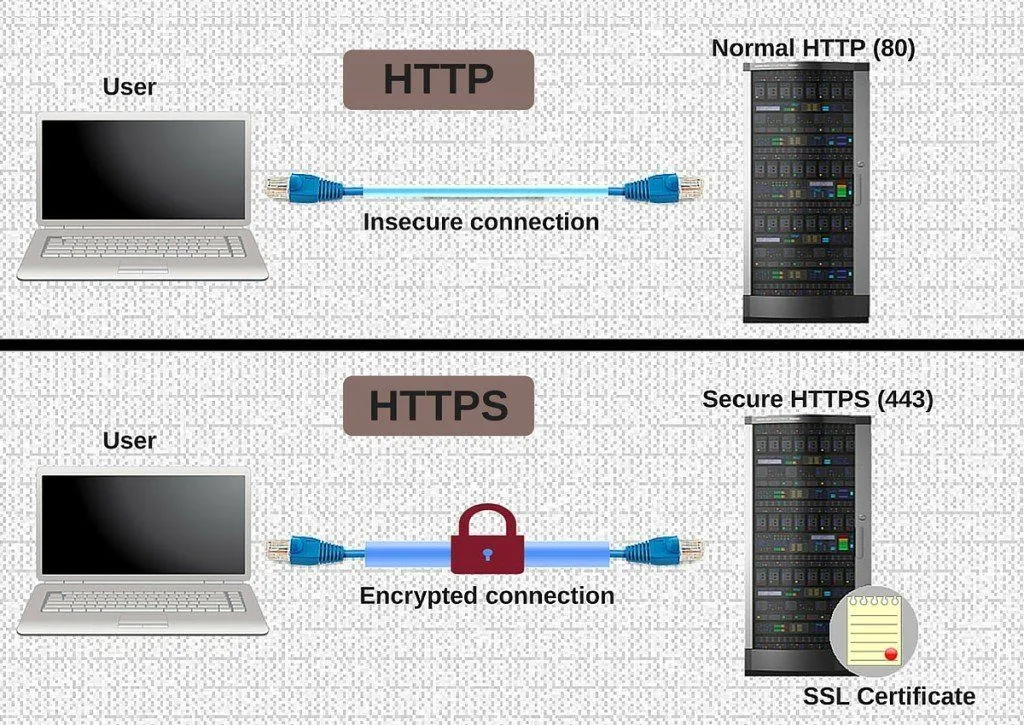
When you open an HTTPS website on your browser, the website sends its SSL/TLS certificate to the latter. These certificates provide secure and encrypted communication between an internet browser and a website. (You will still hear people say ‘SSL’, but Secure Sockets Layer was actually retired years ago; the protocol your browser really uses today is its successor, TLS, or Transport Layer Security, currently in version 1.3.) The certificate contains the ‘public key’ (basically a long digital code) that is required to begin the secure session (between the website and your browser).
Based on this exchange, your browser and the target website do a ‘TLS’ handshake, which involves producing shared ‘secrets’ that help establish a uniquely secure connection between your browser and the website. Once this secure connection is established, the connection between your browser and the website becomes encrypted, meaning that no third party can read the information you share with that website. This is the biggest advantage of HTTPS over plain HTTP.
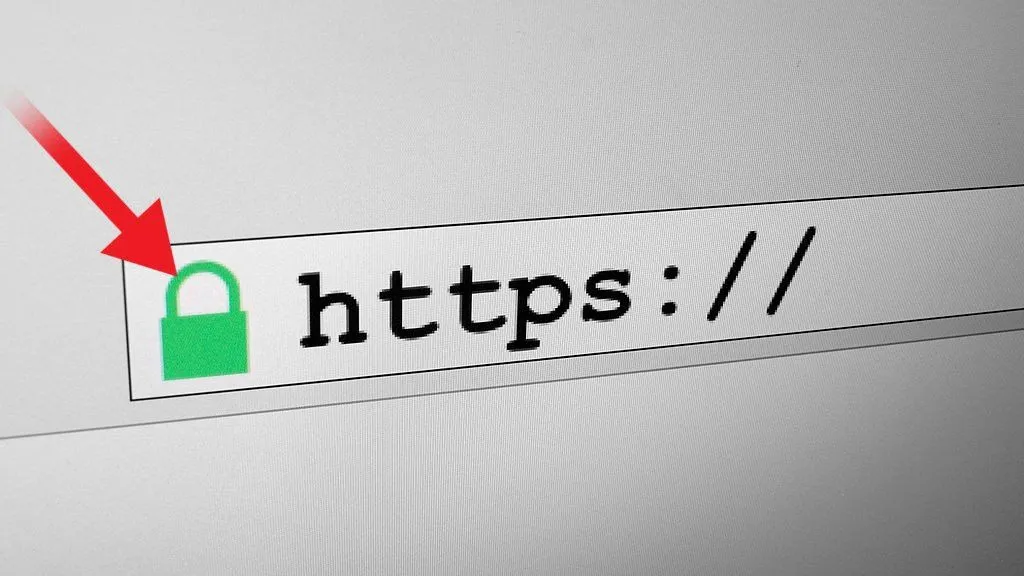
In modern browsers, such as Chrome and Firefox, you will see a padlock icon in the browser address bar whenever you visit an HTTPS-encrypted website.
How Can Your ISP See Your Online Activity?
If you have an internet connection, it means that you have an ISP, i.e., an Internet Service Provider. Not only does an ISP provide an internet connection to its customers, but it also controls it… in a major way!
An ISP controls all the equipment that your internet data flows through once it reaches your computer. As such, it can absolutely ‘look’ at which websites you visit online.
It doesn’t matter whether you use the Incognito mode and only visit HTTPS-protected websites… your ISP can still see which websites you connect to.
You see, when you visit a website, your computer asks a DNS server (often the one run by your ISP) to translate the domain name (e.g. “scienceabc.com”) into an IP address. Subsequently, your computer connects to the server at the given ‘target’ IP address, and then they start ‘talking’ (i.e., downloading and uploading information).
There’s a second giveaway too. Right at the start of an HTTPS connection, before any encryption kicks in, your browser announces which site it wants in a plaintext part of the handshake called the Server Name Indication, or SNI. A single IP address can host hundreds of websites, so the server needs the SNI to know which one (and which certificate) you’re after. The catch is that anyone watching the line, including your ISP, can read it too.
Notice that you never asked your ISP to take you to those sites; all you did was look up a domain name and open a connection. Once your ISP routed that, the rest of the communication was between your browser and the server of the target website, with your ISP acting as a mailman or messenger, i.e., delivering your messages to the website, collecting its reply and then delivering it to you.
Can My ISP Still Track My Online Activity If I Only Use HTTPS-encrypted Websites?
It sure can. And in many cases, they actually do.

As mentioned earlier, your ISP acts as a messenger or mailman. It takes your letters and packages where they need to go. Now, HTTPS encryption certainly protects the contents of your letters, but the mailman still has to take those letters from you to the addressee. As such, it has to know where exactly you want to send your letters, right? In other words, it needs to know the address of your addressee.
In a nutshell, your ISP can’t see what exactly you’re looking at on a website (say, YouTube) if it’s HTTPS-encrypted, but it can certainly see that you connected to YouTube. Just as you cannot hide the recipient’s address from the mailman, the domains you visit are tough to hide from your ISP. (For US readers, this matters in a very concrete way: Congress overturned the FCC’s broadband privacy rules in 2017, so American ISPs are not barred from collecting and monetizing this browsing data the way they would be in, say, the EU.)
So can you actually close those gaps? Increasingly, yes, and often for free. Two relatively recent upgrades, encrypted DNS (DNS over HTTPS or DNS over TLS, now built into Chrome and Firefox) and Encrypted Client Hello (which finally encrypts that leaky SNI field), hide the domain you’re visiting from your ISP. A VPN (Virtual Private Network) goes a step further, tunneling all of your traffic to the VPN provider first, so your ISP only sees that you’re talking to the VPN. Just remember that a VPN shifts that trust rather than erasing it, since the VPN provider then sits in the mailman’s seat.
References (click to expand)
- How Does the Internet Work?. Stanford University
- When does your browser send a "Referer" header (or not)?. The SANS Institute
- Transport Layer Security (TLS) Extensions: Server Name Indication. RFC 6066. IETF
- TLS Encrypted Client Hello. RFC 9849. IETF
- Firefox DNS over HTTPS. Mozilla Support
- The Last Mile of Encrypting the Web. Electronic Frontier Foundation
- 2017 Broadband Consumer Privacy Proposal repeal. Wikipedia