LED lights flicker on camera because they pulse on and off faster than the eye can detect, usually via pulse-width modulation (PWM). This is especially common in car headlights, daytime running lights, and tail lights. When the camera's frame rate or rolling shutter falls out of sync with the LED's pulse, the light appears to flash or band in the video, even though it looks perfectly steady in person.
Have you ever seen an LED bulb making a flickering image in your camera, but running normally when viewed directly?
If not, try this very easy experiment. Switch on your smart phone camera and point it towards a source of LED lights. If you have a car with daytime running lights, this strange phenomenon can easily be observed when viewed through a smartphone camera.
LED lights flicker at rates that are imperceptible to the human eye.
As a hobbyist automotive journalist, I’ve come across multiple photographers tugging out their hair in annoyance when a car’s lights appear to flicker. Frustrating as it may be to photographers looking to capture beautiful shots of their fancy rides, it’s rather simply explained as a conflict of two phenomena.
What Is The Strobe Effect?
If you were to flip through your old physics books, you would come across a human tendency known as the “persistence of vision”. We continue to perceive things, even when they cease to be in front of us. This results in us being able to see events as continuous, rather than a set of discrete still-shot images. (Modern vision science prefers the term flicker fusion threshold, which sits at roughly 50 to 90 Hz for the human eye, but the basic idea is the same: above a certain rate, the brain stops seeing the individual flashes.)

LEDs turn on and off at a very high frequency that is imperceptible to the human eye. Due to this, we see lights as being ON, until we actually put the switch off.
Similarly, videos are actually a series of images captured in rapid succession. These images are captured at a blistering rate measured in frames per second or FPS. When played together, this persistence of vision tricks our brain into seeing the events on screen as one continuous fluid motion.
When the FPS exceeds the frequency of LED switching, the flickering is shown on screen as an apparent malfunction. This is known as the strobe effect.
Why Do LEDs Turn On And Off In The First Place?
Flickering refers to the rapid switching of an LED between its on and off states. Whether they flicker or not is dependent on the nature of the current being supplied to them.
LEDs that flicker usually do so at imperceptibly high rates and are therefore not visible to the naked eye. Therefore, you can rest assured that any flickering visible on camera is in fact the light operating normally. The only blinking that should be a cause of concern is when it is visible to the unaided eye.
However, to say that they flicker at all times while operating is a very broad statement.
Direct Current (DC) Supply
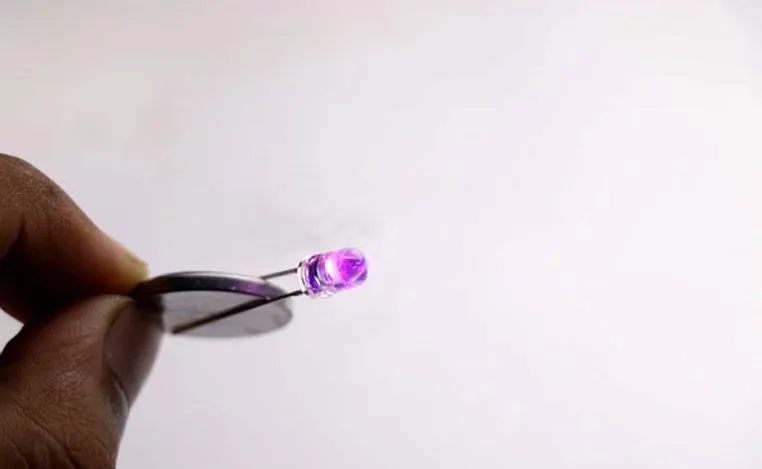
When direct current is supplied to an LED, let’s say by means of a battery; the electrons in the diode are always in an energized state. Due to this, they keep releasing light energy and remain switched on, until the circuit is broken.
An LED supplied by a DC source would not appear to be flickering when viewed on camera.
Alternating Current (AC) Supply
An alternating current is usually supplied from sources like wall sockets. By its nature, an AC waveform swings between positive and negative voltage, completing one full cycle 60 times a second in the US (or 50 times a second in the UK, Europe, Australia and India). Since an LED is a diode, it conducts only on the half-cycles where the voltage is the right way around, meaning a bare LED on AC mains pulses on once per cycle (so 60 or 50 times a second). With a full-wave rectifier added in, both halves of the cycle drive the LED and the pulse rate doubles to 120 Hz (or 100 Hz). Either way, an LED wired directly to AC would appear to flicker in a video.
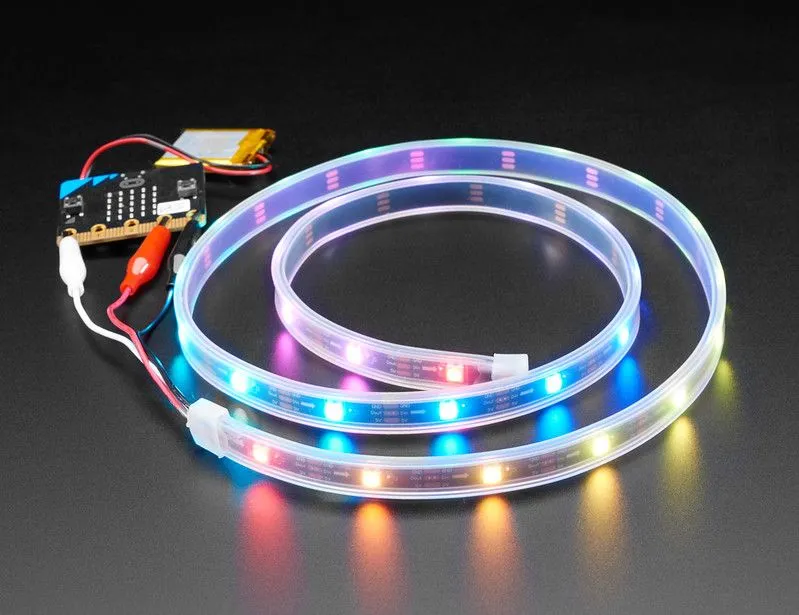
However, it’s not really feasible to wire LEDs directly to AC mains in the first place. The real problem isn’t the on/off cycling, it’s the reverse half of the AC waveform. LEDs have a very low reverse-voltage tolerance (typically around 5 V), and a 120 V or 230 V AC line peaks at roughly 170 V or 325 V the wrong way around. That reverse-bias spike blows the LED junction within seconds. So LEDs are connected to regulators known as ‘drivers’, which rectify and condition the supply before routing current into the diode. A well-designed driver smooths the output to a steady DC, and an LED powered this way does not exhibit flickering on camera.
Pulse Width Modulation (PWM)
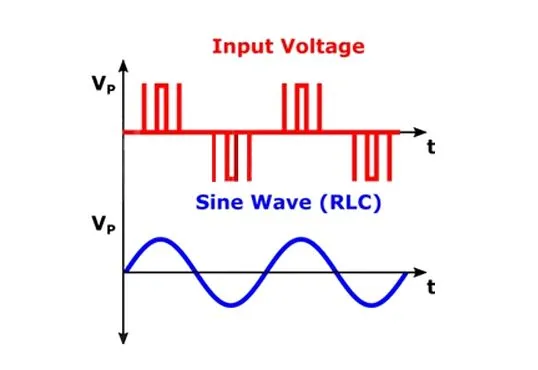
With the evolution of transmission technology, on-camera flickering of LED lights cannot be attributed only to AC or DC power supply.
It’s possible for LED lights powered by drivers to exhibit flickering. In order to achieve a reduction in power consumption (and to control brightness), the power supply can be bundled into discrete pulses of current, instead of a continuous power supply. This results in flickering similar to that observed in alternating current. This is known as pulse width modulation, or PWM. PWM is commonly employed in dimmable bulbs and in automotive lighting (headlights, daytime running lights and tail lights), where the LED is driven in rapid on/off bursts to control brightness without dissipating extra heat. Cost-driven automotive drivers often run PWM in the 100 to 200 Hz range, while premium drivers push the frequency above 1 kHz to stay above what most cameras can resolve.
Why Do Car LED Lights Flicker On Camera?
This is the version of the strobe effect most people actually run into, and it’s worth singling out. Modern cars use LEDs almost everywhere (headlights, daytime running lights, tail lights, brake lights, turn signals, interior lighting), and a smartphone pointed at any of them will often show a stuttering, flashing or “banded” picture, even though the lights look perfectly steady to the naked eye.
Two things conspire to make this happen.
First, the LED isn’t actually running at a constant brightness. Automotive LED drivers use PWM dimming to set how bright the light appears, especially for fixtures that have to do double duty, like a tail light that runs dim when the parking lights are on and bright when you hit the brakes. The driver flashes the LED on and off many times a second at a fixed brightness, and changes the ratio of on-time to off-time to dim or brighten the output. To save cost, many automotive drivers run PWM in the 100 to 200 Hz range, which is well below what most cameras can smooth out.
Second, your phone’s camera uses a rolling shutter. Instead of capturing the whole frame at once, a CMOS sensor reads out rows of pixels from top to bottom over the course of each exposure. If the LED is pulsing during that readout, some rows catch it lit and other rows catch it dark, producing horizontal bands of light and shadow in the still frame. In video, those bands sweep up or down the screen as the LED’s pulse cycle drifts out of sync with the frame rate, which is what makes car headlights look like they’re flickering or strobing on camera.
The fix at the source is to use a driver with a much higher PWM frequency (above about 1 kHz), which most premium automotive lighting systems now do. As a photographer, you can also reduce the effect by slowing the shutter speed so that the exposure window covers multiple PWM cycles and averages them out.
Why Do Car Screens Flicker On Camera?
Point your phone at a car's infotainment touchscreen or its digital instrument cluster and you'll often see the same stuttering, banded picture you get from the headlights, even though the display looks rock steady to your eyes. This one is a slightly different beast, though, because a screen isn't a single light being pulsed. It's a whole panel of pixels that is being refreshed and dimmed in ways a camera loves to expose.

Two things are going on. First, the screen is almost certainly using PWM dimming to control its brightness, exactly like an automotive LED driver does. LCD panels dim their LED backlight, while OLED panels flash the pixels themselves. LCD backlights usually run PWM at 1 kHz or higher, but OLED panels often pulse far slower, anywhere from roughly 50 to 500 Hz, and they dim by shortening the on-time in each cycle. Turn the display brightness right down and the duty cycle can drop to around 10 percent, meaning the panel is actually dark for about 90 percent of every cycle. That is precisely the kind of slow, deep on/off pattern a camera can catch.
Second, the display is redrawing its image at a fixed refresh rate, while your phone's rolling shutter reads the sensor row by row (as described above). When the screen's refresh and PWM cycles drift out of sync with the camera's frame rate and readout, some rows land during a bright phase and others during a dark one. The mismatch shows up as horizontal dark bands that scroll up or down the display, the classic beat between two frequencies that were never meant to line up.
Why Is LED Flicker Worse In Slow Motion?
If you've ever filmed an LED in slow motion and watched it strobe like a disco light, you've seen the strobe effect turned up to its extreme. Slow motion is simply high-frame-rate capture. Instead of grabbing 24 or 30 frames a second, the camera might grab hundreds or even thousands, and that changes everything about how it samples the light.
Two effects stack up. A higher frame rate means each frame gets a much shorter slice of time, so instead of the exposure spanning several of the LED's on/off pulses and blurring them into a steady average, each frame catches the light at a single instant. Some frames land while the LED is lit, others while it is dark. Then, on playback, those frames are stretched back out to normal speed, so every brief off moment that your eye would never notice is held on screen long enough to register as a hard flash.
Cinematographers run into this crossover all the time. RED, the cinema camera maker, notes that footage shot at 24 fps with a 1/250 second shutter can look perfectly clean under a given light, yet the same 1/250 shutter at 48 fps starts to flicker, purely because the faster frame rate samples more of the individual pulses. It's the same reason a light that looks fine in an ordinary clip can fall apart the moment you switch your phone into its slow-motion mode.
Can Flickering Be Stopped?
It would be quite unhelpful to stop the flickering itself; however, the irritating strobe effect is what we attempt to eliminate.
While eliminating the strobe effect is a task of incredible precision, it’s easily reduced by adjusting the frame speed and shutter speed to multiples of the frequency of the AC current.
In the UK, Europe, Australia, India and most of the world, alternating current is supplied at 50 Hz, while the US, Canada and much of the Americas use 60 Hz. (Japan is the odd one out, running 50 Hz in the east and 60 Hz in the west.)
By adjusting the camera parameters (shutter speed and frame rate) to multiples or fractions of the local mains frequency, a significant reduction in the strobe effect can be achieved. Setting the shutter speed to 1/50 s in 50 Hz regions, or 1/60 s in 60 Hz regions, is the classic trick.
Some LEDs are provided by drivers that can adjust the flickering by adjusting their on/off cycle. By adjusting their flickering rate to exceed the frame rate of the camera, the strobe effect can be effectively eliminated.
Do Incandescent Bulbs Also Flicker?
Like LEDs, filament bulbs also turn on and off with the throes of alternating current. That said; the filament within the bulb does not cool down sufficiently during the ‘off’ state in a way that would show in any significant way on camera.
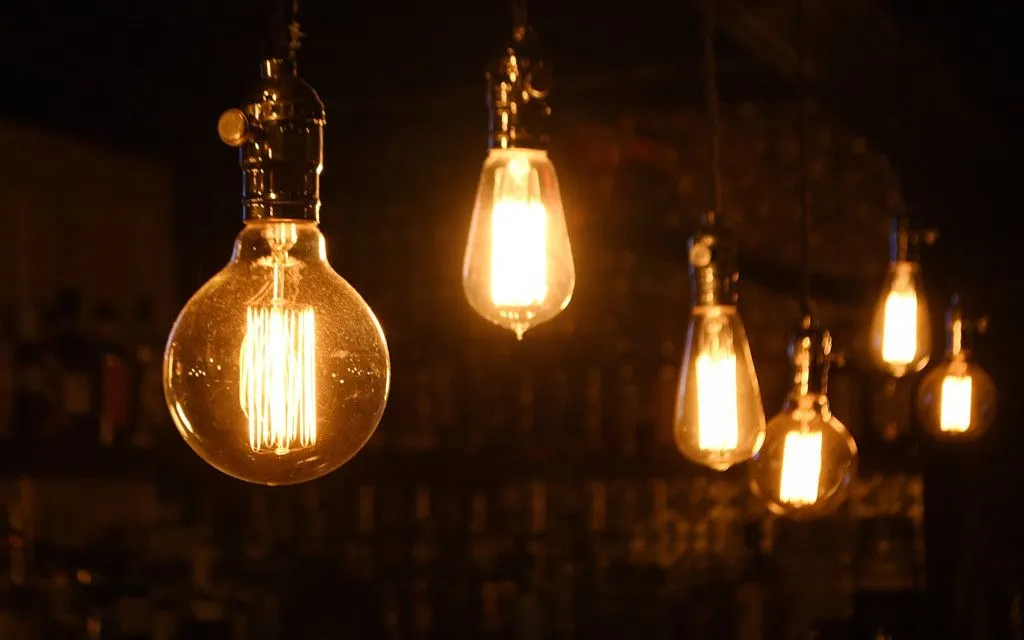
Hence, it wouldn’t be possible to see incandescent bulbs flicker on camera.
So, the next time you see LEDs flickering on video, you will know better than to pull them out of their housings in frustration to have them repaired. After all, why repair something that’s not broken in the first place!
References (click to expand)
- Peterson B. (2016). Understanding Exposure, Fourth Edition: How to Shoot Great Photographs with Any Camera. Clarkson Potter/Ten Speed
- Taylor D., Hallett T., Lowe P.,& Sanders P. (2015). Digital Photography Complete Course. DK Publishing
- Alonso J. M. (2019). Led Lighting and Drivers. Amazon Digital Services LLC - KDP Print US
- Miller N. J. et al. (2022). Flicker: A Review of Temporal Light Modulation Stimulus, Response, and Measurement. US Department of Energy
- IEEE Std 1789-2015. IEEE Recommended Practices for Modulating Current in High-Brightness LEDs for Mitigating Health Risks to Viewers
- Flicker fusion threshold. Wikipedia
- Mains electricity by country. Wikipedia
- Flicker, the display affliction. DXOMARK
- Flicker-Free Video Tutorial. RED Digital Cinema