Table of Contents (click to expand)
RAM (Random Access Memory) is fast, volatile semiconductor memory the CPU uses to hold programs and data while they are actively running; it is wiped the moment you switch the device off. ROM (Read-Only Memory) is non-volatile semiconductor memory that stores fixed firmware such as the boot code (BIOS/UEFI on a PC) and persists across reboots. RAM is bigger and faster but loses its contents when power is cut; ROM is smaller and slower but keeps them.
The differences between ROM (Read Only Memory) and RAM (Random Access Memory) are:
- ROM is a form of permanent storage, while RAM is a form of temporary storage.
- ROM is non-volatile memory, while RAM is volatile memory.
- ROM can hold data even without electricity, while RAM needs electricity to hold data.
If you’re not an alien reading this from a galaxy far, far away, then you have probably heard these terms countless times, RAM and ROM. That being said, RAM is more commonly encountered by the common person. You certainly would have learned about them in your computer class, or perhaps you recognize the terms and at least know they are related to computer memories. However, there’s a fair amount of the populace that can’t really distinguish between RAM and ROM and wouldn’t be able to explain how they function differently!
As always, let’s brush away the cobwebs surrounding these common and useful tech terms.
What Is RAM?
Random access memory, often abbreviated as RAM, is a hardware element of a computer where programs, operating systems, and data that are currently being used is stored so that the processor can retrieve it quickly.
Think of RAM as a memory bank for the computer. The amount of multi-tasking you can do and the games you can play on the computer or phone depend heavily on the amount of RAM available, in addition to the prowess of the processor. The data on RAM is volatile, meaning that whenever you power off the device, the data would be erased. It is a high-performing expensive memory component that is used to store data about the programs being run in real-time.
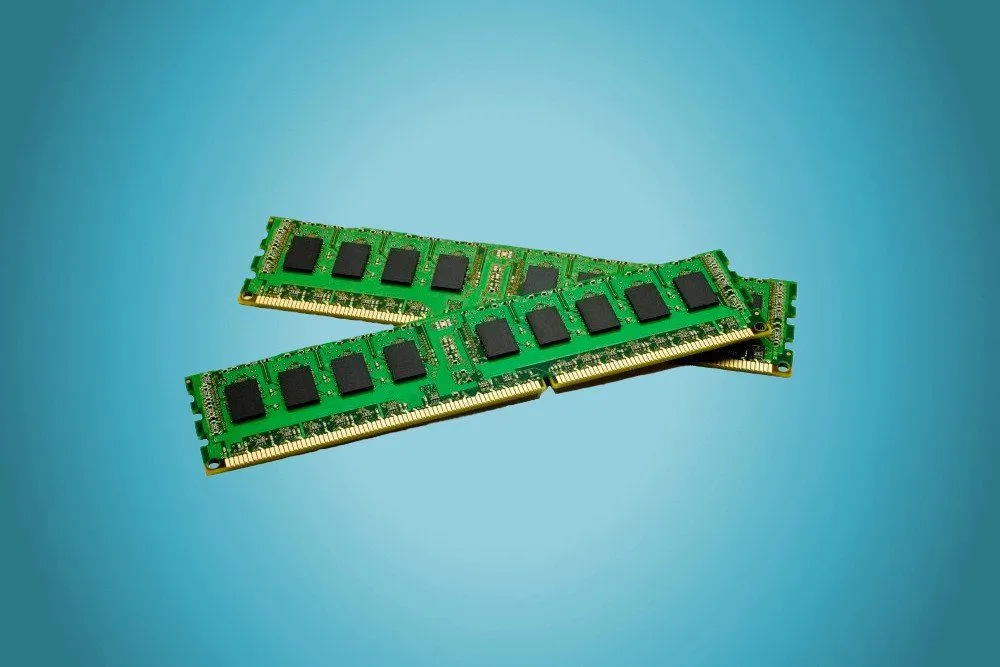
If you ever open up your computer cabinet (computer tower), you will find one (or two) oblong chips installed in a slot on the motherboard. That’s the RAM. These days, motherboards come with more than one RAM slot, which gives you the flexibility to increase your RAM capacity, enabling better operational speed and computational performance. Now, let’s look at two main types of RAM available in the market.
Types Of RAM
- SRAM: Static random access memory (SRAM) is a type of RAM that stores data using a 6-transistor memory cell. SRAM is generally used as a cache memory for processors. It is generally not replaceable by the end user.
- DRAM: Dynamic random access memory (DRAM) is a type of RAM that stores each bit using a single transistor and a single capacitor (a “1T1C” cell). Because the capacitor leaks charge, DRAM has to be electrically refreshed thousands of times a second to keep its data, which is exactly where the “dynamic” part of the name comes from. DRAM is comparatively cheaper than SRAM, but the operating speed is slow. Their replaceability makes them suitable for computer systems whose memory modules can be replaced/upgraded.
What Is ROM?
ROM, on the other hand, is a type of memory where data has been pre-recorded. It contains the programming that helps a computer or smartphone ‘boot up’.
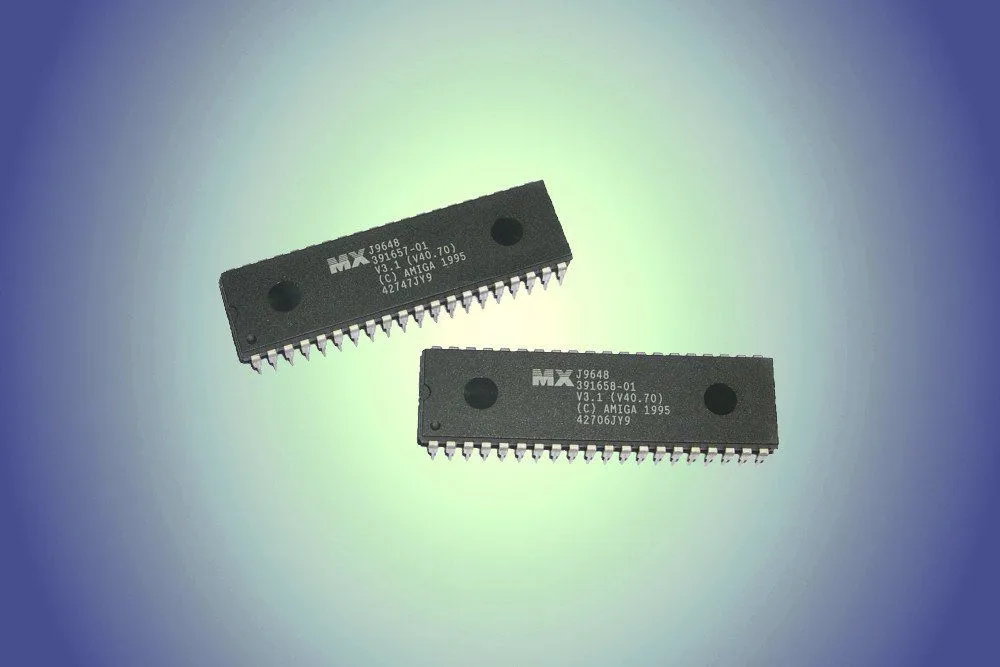
Commonly referred to as Read Only Memory, ROM retains its contents even after the computer is turned off; that’s why a computer can be switched on in the first place. It’s fair to say that if it weren’t for ROM, you wouldn’t ever be able to fire up your computer.
When it comes to smartphones, ROM is generally referred to as the internal storage capacity. It is technically called eMMC which stands for embedded multi-media card. This memory is usually soldered onto the main circuit board of the smartphones and cannot be replaced.
Let’s look at 3 main types of ROM.
Types Of ROM
- PROM: Programmable Read Only Memory (PROM) is a blank version of ROM that can be written/modified just once. Using a PROM, a computer geek can program it once with the help of a special tool called a programmer, wherein he burns a specific program into the memory that cannot then be rewritten.
- EPROM: Erasable Programmable Read Only Memory (EPROM), unlike PROM, allows for writing and rewriting several times. However, to erase the previously stored data, ultraviolet (UV) rays are required. EPROM chips come with a quartz window. Whenever UV light of a specific frequency is passed through, it burns the previously stored data and thus empties it to be filled with another program. EPROMs have low durability and wear out over time. They generally have a lifetime of 1000 erasures.
- EEPROM: Electrically Erasable Programmable Read Only Memory (EEPROM) is the most sophisticated type of ROM that not only allows rewriting of the program several thousand times, but does this without needing dedicated equipment and conditioning like EPROM. Unlike the two other forms of ROM, the EEPROM allows the programmer to write and rewrite programs onto it without needing special equipment or even needing to disassemble the ROM card from the main system.
So far, we have discussed the definitions, working, and types of RAM and ROM memories. However, since both of them are types of memories, and often sound somewhat similar, people generally confuse the two.
With that in mind, let’s look at some of the key differences between RAM and ROM.
ROM Vs RAM
Data Retention
This is the most noteworthy difference between these two forms of memory. ROM is a form of non-volatile memory, which means that it retains information even when the computer is shut down. RAM, on the other hand, is considered a volatile memory, only holding data for as long as the computer is up and running. After that…

Physical Appearance
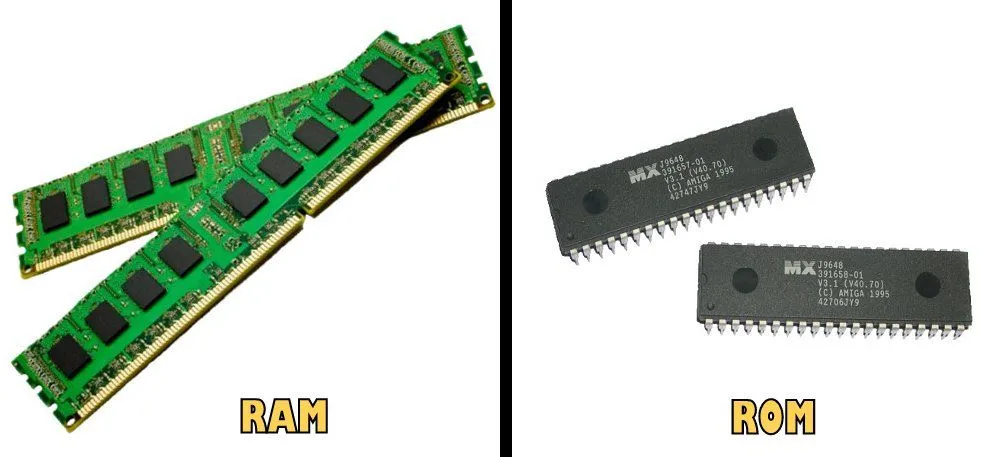
Both RAM and ROM are semiconductor chips, not optical or magnetic media. In a desktop PC, RAM lives on long, thin DIMM sticks that slot into the motherboard, while the ROM that holds the BIOS/UEFI firmware is a small surface-mounted chip soldered directly onto the motherboard. On smartphones, what is colloquially called “ROM” is actually a flash-storage chip (eMMC or UFS), also soldered onto the board.
Storage Capacity
This one is context-dependent. In a desktop or laptop, the ROM chip holding the BIOS/UEFI firmware is small, usually a few megabytes (16–32 MB is common today). The RAM in the same machine is far larger, typically 16 GB or 32 GB on a modern mainstream PC. On smartphones, the marketing term “ROM” means total internal flash storage (often 128 GB or 256 GB or more), which is larger than the RAM (typically 6–12 GB). So whether RAM or ROM is “bigger” depends on what you actually mean by ROM.
Speed
RAM trumps ROM in terms of speed; it accesses data much faster than ROM and boosts the processing speed of the computer. In terms of storage read speeds, ROM does this at a rate of a few MBs/second, whereas the read speed of RAM is a few GBs/second. In a head-to-head comparison, RAM is several hundred times quicker than ROM.
Ease Of Writing Data
It’s easier to write data in RAM than in ROM, since the latter is a place for storing very limited, albeit immensely important and permanent information. As we have seen earlier, except in the case of EEPROM, it’s generally very difficult to alter data in a ROM memory.
Let’s make the relative difference between RAM and ROM a bit more clear for you to discern between the two:
| Parameter | RAM | ROM |
| Volatility | Volatile | Non-volatile |
| Physical chip size | DIMM stick on motherboard | Small soldered chip (BIOS) / flash on phones |
| Storage capacity | 8–32 GB (PC); 6–12 GB (phone) | BIOS/UEFI: 16–32 MB; phone “ROM” (flash): 128 GB+ |
| Speed | Faster | Slower |
| Cost | Expensive | Cheaper |
| Data retention | Cannot hold data without power | Can hold data without power |
| Usage | Primary memory modules, cache | Firmware, RFID tags |
Is ROM The Same As Storage Like An SSD Or Hard Drive?
This is where a lot of the confusion creeps in, especially on smartphones, where the marketing sticker labels the internal storage as “ROM”. Strictly speaking, though, neither RAM nor true ROM is the same thing as the hard drive or SSD where your photos, apps and files actually live. Those belong to a third rung of the ladder: secondary storage.

Think of a computer’s memory as a hierarchy. RAM is the primary (working) memory the processor talks to directly. Secondary storage (a hard disk drive or a solid-state drive) is where everything is kept for the long haul. Unlike RAM, secondary storage is non-volatile, so your data is not erased when the power goes off. It is also far cheaper per byte and much roomier, but noticeably slower: RAM costs roughly two orders of magnitude more per byte than SSD storage, yet a hard drive takes about six orders of magnitude longer to fetch a byte than main memory does, and even a speedy SSD is around four orders of magnitude slower than RAM.
So where does that leave “flash memory”, the term you keep bumping into? Flash is a non-volatile memory that was invented by Fujio Masuoka at Toshiba in 1980 and is based on EEPROM technology, which we met earlier. Unlike the classic ROM that gets written just once, flash can be erased and rewritten in blocks, which is exactly why it is such a good medium for storage. The NAND flash inside SSDs, USB sticks, SD cards and phone “ROM” is really this rewritable descendant of EEPROM. In other words, the “ROM” on your phone’s spec sheet is flash storage, not the tiny genuine read-only chip that holds the boot firmware.
Why Does A Computer Need Both RAM And ROM?
If RAM is faster, bigger and generally more useful, why not build a computer out of RAM alone? The answer lies in what happens the instant you press the power button. RAM is volatile, so at that moment it is completely blank, yet the processor needs instructions right now to do anything at all. Those first, must-always-be-there instructions have to live in non-volatile memory, and that is the job of ROM.

On a PC, that startup code is the firmware (the BIOS or UEFI), which comes pre-installed on the motherboard. Originally it sat in a genuine ROM chip; on modern boards it lives in flash memory so it can be updated without swapping the semiconductor chip. When you switch on, the firmware runs a quick hardware check called the power-on self-test (POST), then loads a small boot loader from your storage drive, which in turn copies the operating system into RAM so the processor can actually run it.
That hand-off is the whole point of having both. ROM is like a pre-flight checklist bolted permanently into the cockpit: short, unchanging and always ready the moment the lights come on. RAM is the pilot’s scratchpad, roomy and lightning-fast, but wiped clean at the end of every session. A computer needs the permanent starter kit and the fast, erasable workspace, because neither one can do the other’s job.
The next time you find yourself in a circle of computer geeks, make sure that you bring this information to the table. They might already be aware of it, but they’ll certainly be impressed!