Table of Contents (click to expand)
A 1 TB hard drive holds roughly 1,000 GB; a 2 TB drive holds about 2,000 GB, or twice as much. Inside, they look almost identical, but higher-capacity HDDs pack more data in two ways: they stack more magnetic platters on the spindle, and they use finer read/write heads that squeeze more bits onto each platter (higher areal density).
Hard drives are the essential cores of computers. I can’t even begin to talk about the importance of hard drives in a computer; I mean, what kind of a computer would it be if didn’t have the ability to store any data?
Speaking of storage, hard drives have gotten much better at storing more and more data since their inception. If you had bought a computer in the mid-2000s, you would have likely gotten a hard disk drive that could store a couple hundred gigabytes, and that would cost you a good amount of money. However, today, you could easily purchase hard drives that can store thousands of gigabytes of data without emptying your wallet.
If your data storage requirements are minimal, you could consider purchasing an external hard drive of 500 GB. If you have a lot of photos and movies that you want to store, you should probably go for a 1 TB hard drive. There are also 2 TB, 4 TB, 8 TB and even 30 TB variants for consumers, and data-center HDDs now reach 44 TB (Seagate’s Mozaic 4+ platform, shipping in 2026).
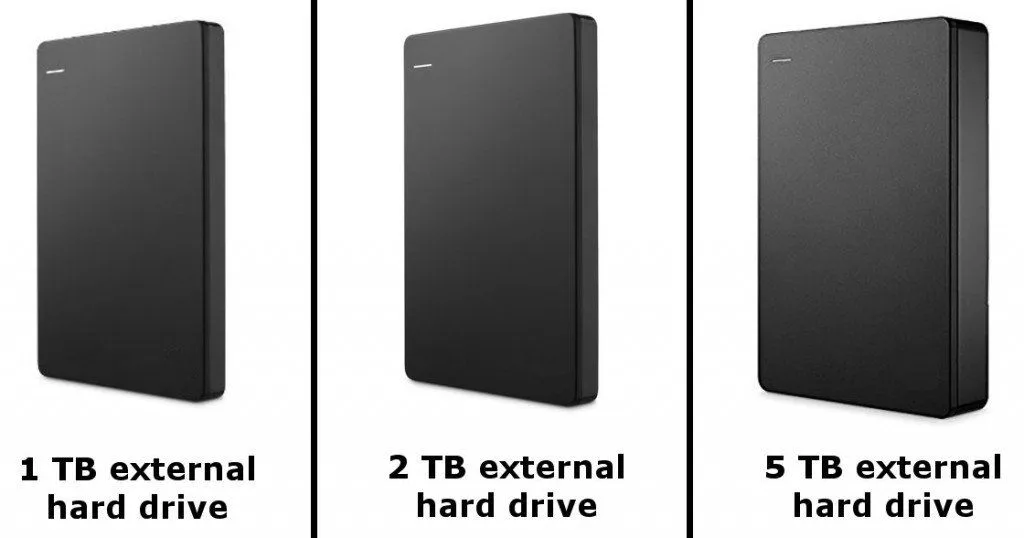
Interestingly, all these hard drives look pretty much the same from the outside (except for some high-capacity enterprise drives, which can feel a bit heavier because they’re stuffed with more platters). However, are they similar inside too? In other words, how are hard drives of different capacities physically different from one another? (note: we are specifically discussing hard disk drives (HDDs), not solid state drives (SSDs)).
Before we answer that, it helps if we first understand a thing or two about the anatomy of hard drives.
What’s Inside A Hard Disk Drive?
Hard disk drives contain a few small, but critical components that help write data on them, and consequently help us store tons of photos, videos and cat pictures.
Although there are many small components inside a hard drive, we are only going to talk about the two that are most relevant to our discussion: the platter and the read/write heads. To understand these better, let’s take a look at the inside of a hard drive:
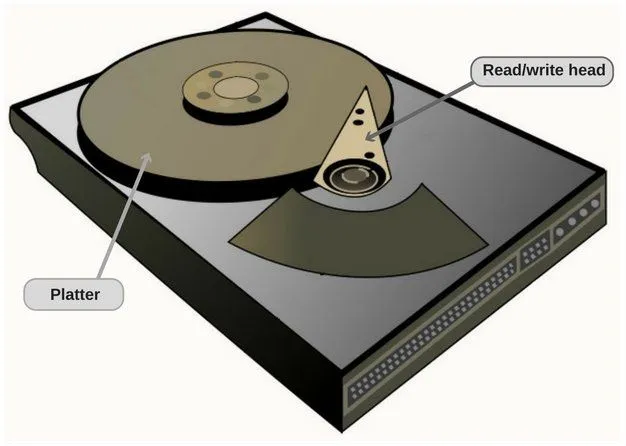
As you can see in this picture, a platter is simply a circular disk inside the hard drive on which data is stored (in the form of 0s and 1s) using a fundamental natural phenomenon – magnetism. A read/write head, or simply ‘the head’, is a tiny part mounted on a moving actuator arm that moves over the platter to read and/or write data onto it.
It’s mostly these two parts that make hard drives of different capacities physically distinct from one another.
High-capacity Drives Have More Platters
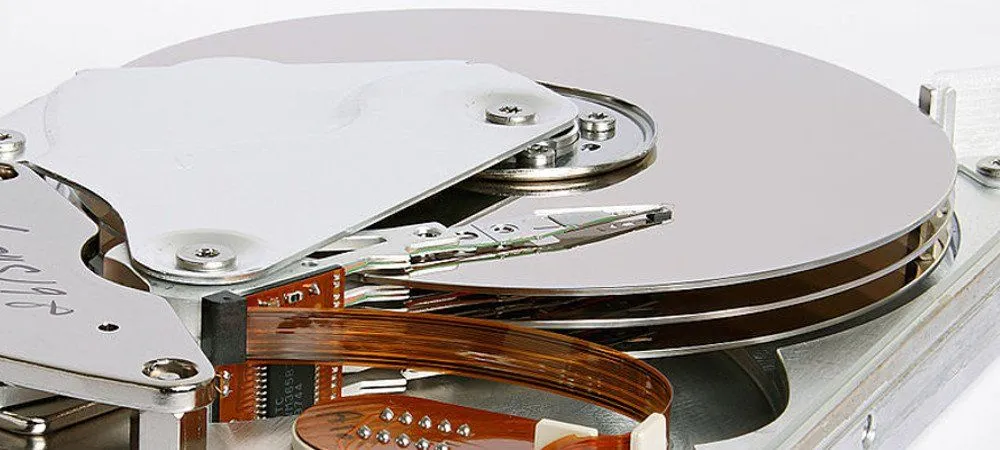
Since data is read and written on platters, it makes sense to stick more platters to a hard drive if you want to build a ‘bigger’ hard drive (i.e., one that can hold more data). For instance, a modern 1 TB consumer drive often gets by with a single platter, a 4 TB drive may have two or three, while a 10 TB helium-filled drive typically packs seven, and Seagate’s 44 TB Mozaic 4+ data-center drives use ten platters on a single spindle.
Think of it this way: a hard disk is essentially a bunch of CDs stacked on top of each other, which are written by a ‘writing’ head. One way that a high-capacity drive might be physically different from a low-capacity one is that the former simply has more CDs in its stack.
Interestingly, the same logic applies to solid state drives too. SSDs store data on NAND flash chips, so a higher-capacity SSD either packs in more chips or uses chips that stack more layers of cells (modern 3D NAND now stacks well over 200 layers).
Higher Magnetic Density
Another difference between a 1-terabyte and a 5-terabyte hard drive is the magnetic density on their respective platters. Let me explain this with an analogy…
Suppose you have a sheet of paper, and you want to fit as many shapes and symbols on it as possible. However, the only thing you have at your disposal is a marker, which, as you know, writes in bold. Sure, you can use it to draw many shapes on the sheet, but if you had a regular ballpoint pen, which wrote significantly finer, you could have added more symbols and shapes on the same sheet.
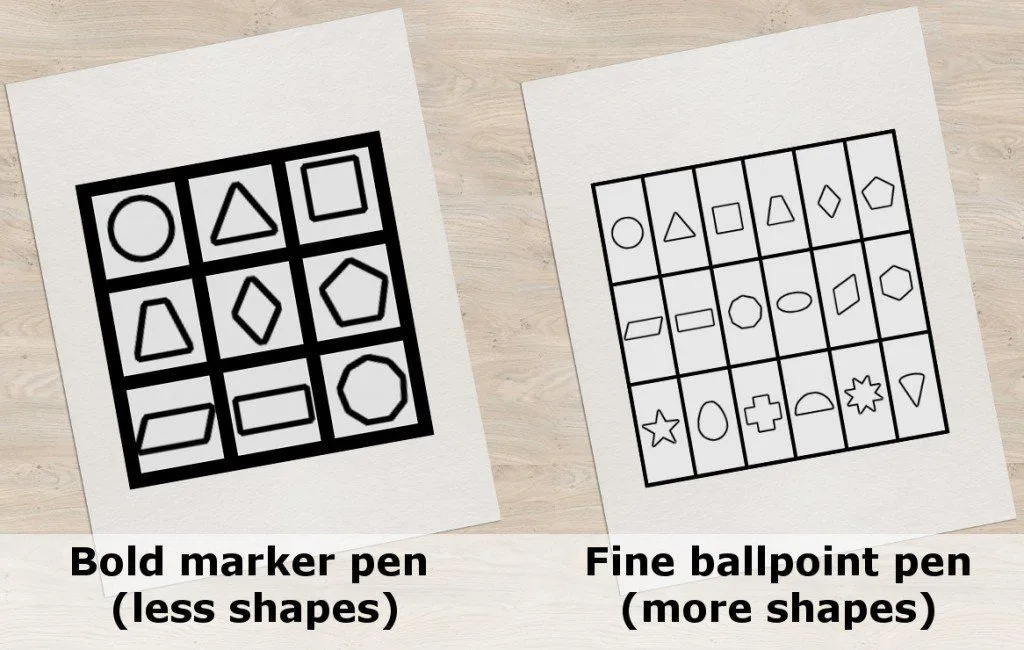
You can think of a bigger hard drive as having a finer read/write head, which means that it is capable of recording more data on the same platter. Old drives, therefore, generally have a lower maximum capacity than newer drives, which are made with better, finer read/write heads and can therefore store more data.
Since most manufacturers use the latest read/write head tech across their product lines, a drive built today on a 1 TB platter could, in principle, hold more than its sticker says. To keep product tiers clean, makers sometimes ‘bin’ identical chassis at different capacities, either by fitting fewer platters and heads, or by formatting a portion of the drive as unusable. That’s how a 1 TB and a 2 TB model can look almost indistinguishable from the outside.
Apart from these minor details, there aren’t really any physical differences between drives of different capacity; at the end of the day, they all rely on the same mechanical parts that are present in all drives, regardless of their capacities.
References (click to expand)
- Hard Drive Limitations - UAF CS. The University of Alaska Fairbanks
- Disk Drives. OpenDSA Data Structures and Algorithms Modules Collection, Virginia Tech
- How a Hard Drive Works. The Computer Science Department at Stanford University in Stanford, California
- Hard Drives Methods And Materials. Yale University