Smartphones know when to rotate the screen thanks to a tiny sensor called an accelerometer. It senses which way gravity is pulling, so the phone can tell up from down. When you turn the phone past a set threshold, between portrait and landscape, the operating system flips the display to match.
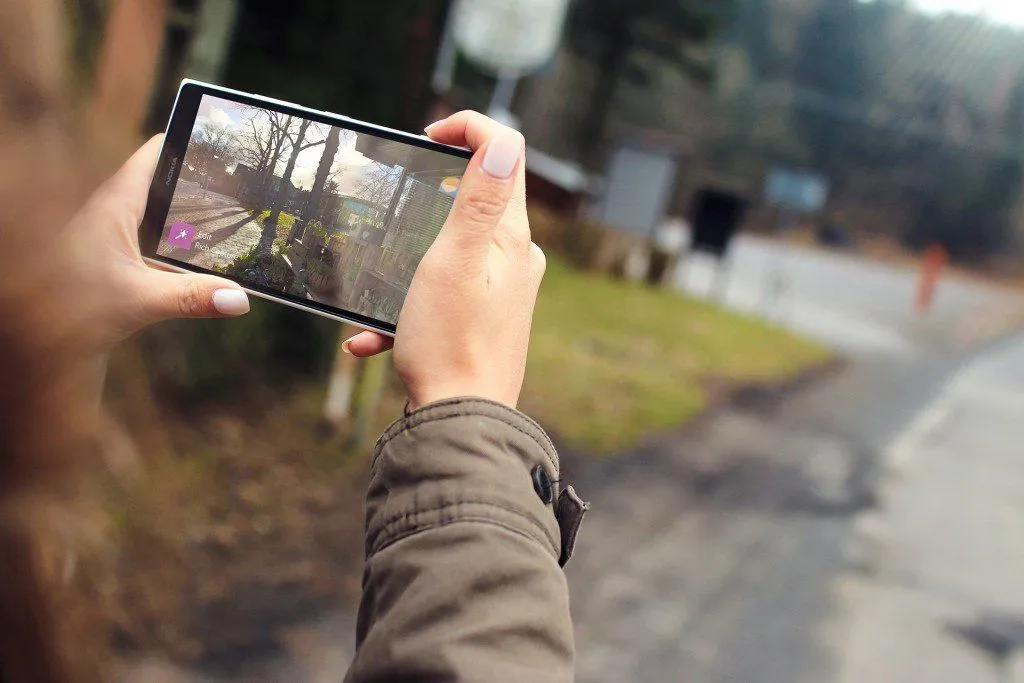
There are so many features of smartphones that we use and take for granted without ever realizing how important they are, and also, how great their contribution is to our entire experience of using phones. Take, for example, the way we watch videos; while watching high-definition videos on a device (say, a smartphone), we usually tend to hold it laterally in order to get the most out of the screen size. Magically enough, the video playing on the screen and all the other menu options also orient themselves according to the new direction!

How does that happen? How does your smartphone know up from down? After all, it has no ‘real’ sense of its own orientation, right?
The Magic Of Accelerometers
As it turns out, a number of electronic devices these days (including smartphones, tablets and even laptops) have a sense of gravity designed into it and can therefore tell up from down, thanks to a device called an accelerometer. An accelerometer is a device that measures proper acceleration (the kind you actually feel) rather than motion across a map. As you may already know, anything sitting still at the surface of Earth is held up against gravity, which pulls with an acceleration of about 9.8 m/s2, or 1 g. So an accelerometer reads roughly 9.8 m/s2 when the device is at rest on the ground, and drops to zero during free fall (which is exactly why everything feels weightless in orbit). That steady downward reading is the clue your phone uses to figure out which way is up.
In addition to smartphones and tablets, accelerometers are used in many other devices and electronic equipment, including inertial navigational systems of aircraft and missiles, flight stabilization systems of drones, collision prevention systems in vehicles, and so much more. However, in this article, we’re going to look at how it helps your phone display automatically change its orientation.
How Does An Accelerometer Work?
A standard accelerometer consists of two basic parts: a housing that is attached to the object in question (say, a phone) and a seismic mass that is connected to the housing. Unlike the housing, this mass can move when the housing’s orientation changes when the concerned object is moved. To comprehend how this works, consider the following image where the ‘movable mass’ is a spring attached to a heavy metal ball:
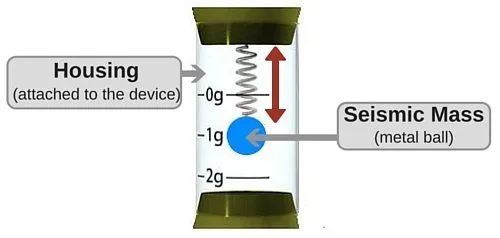
The force of gravity acting on the entire object can be calculated from how much the spring is extended.
However, you can’t possibly cram a spring and a heavy metal ball inside a smartphone without making it unusably bulky. So engineers have figured out a clever work-around. There’s simply a tiny chip inside the phone that houses an accelerometer and helps it know which side is the ‘right’ side up.
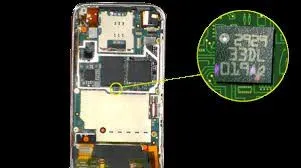
This chip is tiny, only about 500 microns across, which is half a millimeter, or roughly 1/50th of an inch. It’s made by etching into a piece of silicon with potassium hydroxide, along with a housing that’s attached to the phone. It also has a ‘comb-like’ section that can move back and forth. Although this is much more advanced than the standard accelerometer we discussed above, the fundamental parts are the same: the seismic mass is represented by the comb-like section of the chip and the spring is represented by the flexibility of the thin silicon that’s attached to the housing.
Therefore, when you move your smartphone to change its orientation with respect to the ground, the tiny comb-like section in the accelerometer shifts back and forth. As it moves, the gaps between its interlocking fingers change, and so does the electrical capacitance between them. The phone reads that change in capacitance and works out the acceleration in each direction, including the constant downward tug of gravity. As soon as the reading in a specific direction crosses a threshold, voila! The orientation of the screen changes! You can check out the visual representation of the entire process in this video by Engineer Guy:
This is why the screen doesn’t rotate if you move only slightly in any direction. You need to tilt your smartphone (almost) completely to change the orientation of the display.
What Do Portrait And Landscape Mode Actually Mean?
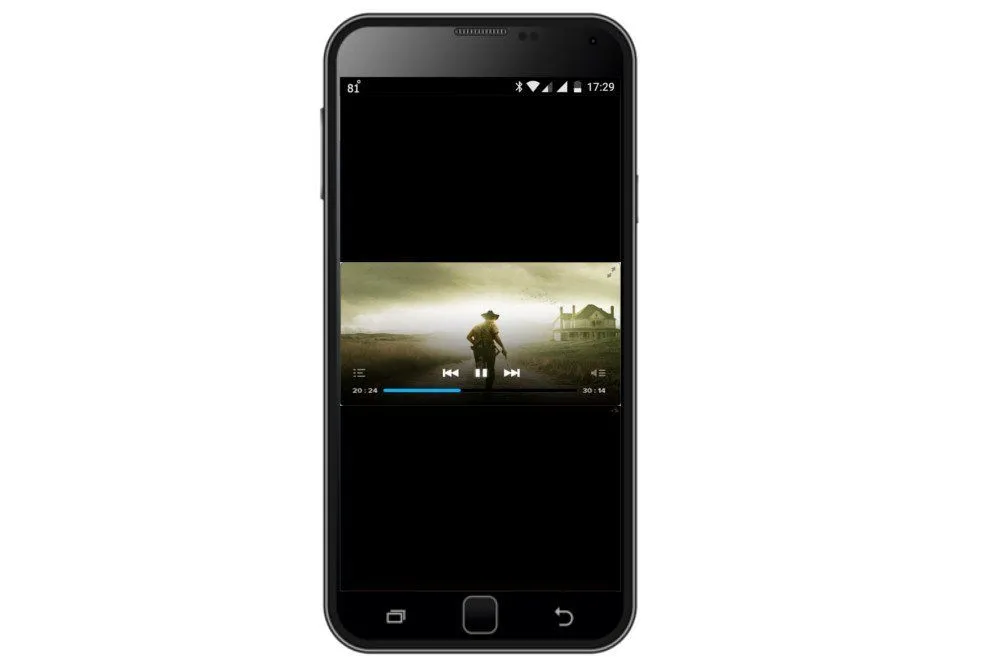
Before we go any further, it helps to be clear on what your phone is actually switching between. Portrait mode is when the screen is held upright, so that it is taller than it is wide. Landscape mode is the opposite: you turn the phone on its side so that the screen is wider than it is tall. That is the whole difference, and it is exactly why the two modes suit different jobs. A tall portrait screen is great for reading a webpage, scrolling a feed, or texting, while a wide landscape screen matches the shape of a film or a high-definition video.

The names themselves come from art, not technology. Painters have long used tall, upright canvases to capture a person's face and upper body (a portrait), and wide canvases to take in the sweep of the horizon (a landscape). Printers and, much later, screen designers borrowed the same two words. So when your phone says it has switched to landscape, it is really just saying it has rotated to the wider-than-tall layout, the same one your television uses.
Is The Accelerometer The Only Sensor Involved?
The accelerometer is the star of the show, but on most modern phones it does not work alone. An accelerometer is excellent at sensing the steady downward pull of gravity, which is what tells your phone which way is down. The trouble is that the same sensor also picks up every other jolt, including you walking, a bus braking, or your hand shaking. To sort genuine rotation from this noise, phones lean on a second sensor: the gyroscope.

A gyroscope does not measure gravity at all. Instead, it measures the rate of rotation, in radians per second, around each of the phone's three axes, as defined in Android's sensor framework. Where the accelerometer tells the phone its tilt relative to the ground, the gyroscope tells it how fast and in which direction it is being turned. Combining the two readings, a trick engineers call sensor fusion, gives a far steadier and more accurate sense of orientation than either could manage on its own.
This is also why you will see your phone's settings mention a "gravity sensor" or an "orientation sensor." On Android these are usually not separate chips at all but software-based (or "virtual") sensors that the operating system builds by blending the raw accelerometer and gyroscope data. In fact, Android's older dedicated orientation sensor has been formally deprecated, with the platform now deriving orientation from these fused readings instead. So the short answer is no: the humble accelerometer kicks things off, but a gyroscope and a layer of clever software usually finish the job.
How Do You Turn Auto-Rotate On Or Off?
All of this only happens when a setting called auto-rotate is switched on. When it is on, the screen automatically flips between portrait and landscape as you move the device; when it is off, the display stays locked to whichever way you last left it. That lock is genuinely useful, for example when you are reading in bed and do not want the page to swing to landscape every time you roll onto your side.
On most Android phones, including Samsung and Pixel models, swipe down from the top of the screen to open Quick Settings and tap the Auto-rotate tile to toggle it. You can also go to Settings > Display (or Display & touch) and switch Auto-rotate screen on or off there. On an iPhone, open the Control Center and tap the Portrait Orientation Lock button; when the lock is highlighted, rotation is disabled, and tapping it again turns rotation back on. One thing worth knowing: a few apps are designed to run in only one orientation, so they may refuse to rotate even when auto-rotate is fully enabled.
Think of how different our user experience of smartphones would be if not for this intricate technological device. We could never enjoy watching a high-definition video or reading a book as much as we do now on our phones. And yes, racing games that involve steering by tilting the device would only be a cruel joke!
References (click to expand)
- Accelerometer - Wikipedia. Wikipedia
- How a Smartphone Knows Up from Down - www.engineerguy.com
- Sensors and Cellphones. Stanford University
- Motion sensors. Android Developers
- Sensors Overview. Android Developers
- How to automatically rotate your screen. Android Accessibility Help
- Rotate your iPhone screen. Apple Support
- Page orientation. Wikipedia