Table of Contents (click to expand)
When you delete a file, the data is not actually removed from the drive. The operating system simply deletes the file's pointer and marks its space as free. On a hard drive the data sits there until new data overwrites it, so recovery software can often restore it. On most SSDs, the TRIM command erases that space quickly, making recovery far less likely.
When we delete something from our computer, laptop or any other computing device, for that matter, we assume that the file gets shuffled off to the recycle bin. However, what if we empty the recycle bin too? Is the file permanently gone? Is it hidden somewhere in the depths of the drive? Or has the government encrypted it and tucked it away in a secret data bunker?! Well, before we delve into what happens to deleted files, let’s take a brief look at the two kinds of memory that play a crucial role in how a computer stores information.
Volatile And Auxiliary Memory
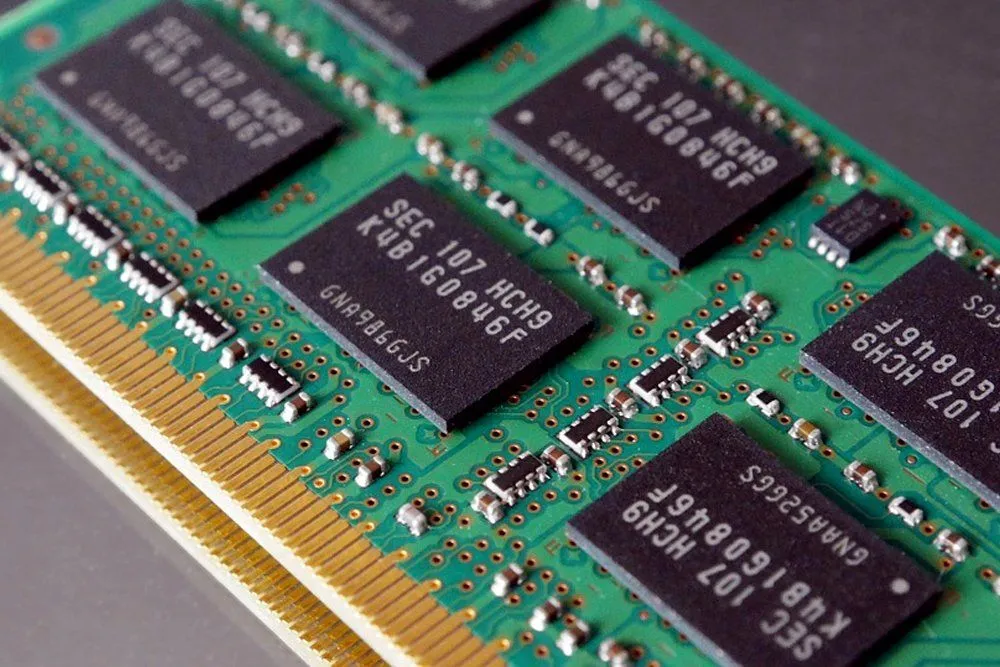
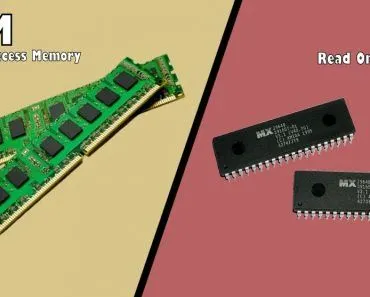
Volatile memory, as the name suggests, is volatile, but to put this in more helpful terms, this kind of memory only holds onto data while your computer is powered on. The moment you cut the power, whatever it was holding is lost. The classic example of volatile memory is RAM, which stands for Random Access Memory. (Its counterpart, ROM, or Read-Only Memory, is actually non-volatile, since it keeps its contents even with the power off, so it does not really belong in this category at all.) The primary job of the RAM is to store data that the CPU (Central Processing Unit) can read and write very rapidly. The multiple tabs open in your web browser, the word document, and the video player that are running simultaneously are all kept here. Certain forms of programming and computing also lean heavily on your computer’s RAM. However, unlike the auxiliary memory (which we will discuss below), RAM cannot hold onto anything once the power is switched off.
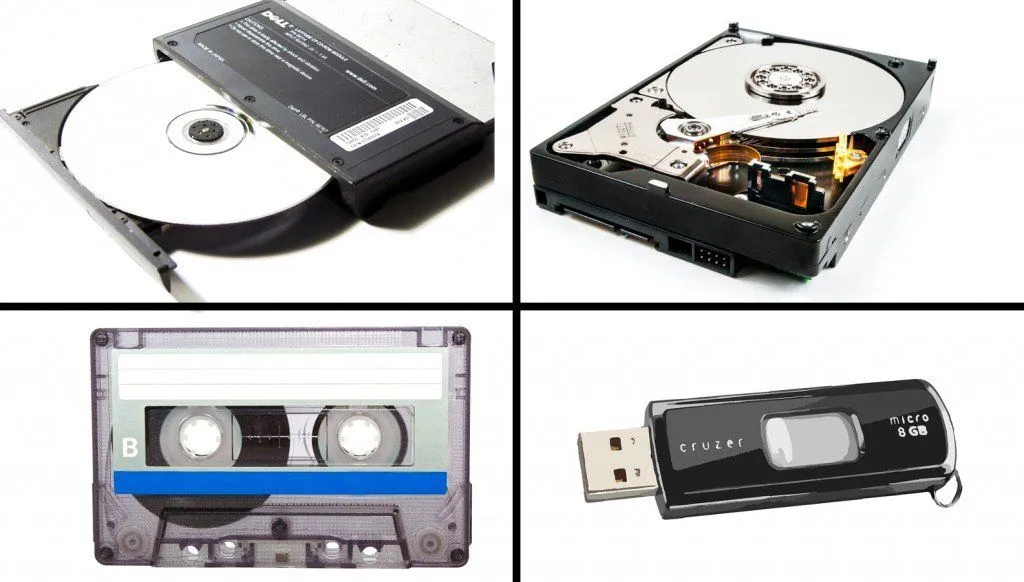
Auxiliary memory is known by various other terms, such as static memory or external memory. Auxiliary memory also comes in a number of forms, such as CD (Compact Disc) and Hard Drives. This is a form of memory where a user can store the bulk of their data. Most auxiliary memory systems consist of memory that is highly ferromagnetic. A ferromagnetic element is one that contains diffused magnetic poles within it. The memory is stored by magnetizing the magnetic dipoles in a particular orientation. Once this is done, the computer can go back and retrieve this permanent data whenever the user needs it. There is a new generation of auxiliary memory known as Solid State Drives (SSD). SSD is also known as flash memory. These are extremely fast in terms of storing and retrieving data for users and are the most preferred form of auxiliary memory in today’s computing devices.
Deleting A File
Contrary to popular belief, the moment you delete a file, it does not magically disappear from the hard drive. The first stop is usually the Recycle Bin (or Trash on a Mac), which is really just a special folder. Hitting delete simply moves the file there, with a note of where it came from, so you can put it back. (Holding Shift while you delete, or emptying the Bin, skips this safety net.) But even then the data is not actually scrubbed off the disk. To see why, we will consider the Windows Operating System. Windows keeps track of all files present on the Hard Drive with the help of things known as “pointers.” Each file or folder on the Hard Disk has a pointer that tells Windows where that file is located. When you delete a file and empty the Bin, Windows removes the pointer and changes the file location status to available. From the file system point of view, the file is no longer present on the Hard Drive, and the sector that contained it is considered free space.

However, there is a catch! Until the Windows OS rewrites new data on the available sectors, the file still exists and is very much recoverable. There are file recovery programs that can scan the hard drive for these deleted files and restore them. Now, the question might arise as to why the computer does not simply go ahead and delete the files directly. Well, the answer to that is pretty simple. Deleting a pointer is much faster than deleting all the data present in that particular sector. For example, if you’ve ever noticed, deleting a 10 GB file is almost instantaneous, as compared to writing a 10 GB file. Erasing a 10 GB file takes as much time as writing it down. The only time it is truly deleted or erased is when new data is written on top of a sector that does not have a pointer towards it (deleted file).
All of the info above relates to how data is handled on a hard drive, but Solid State Drives work differently. The memory cells in an SSD are grouped into blocks, and there is a catch built into the hardware: data cannot be written on top of existing data in a cell. Before a cell can take new data, its old contents must first be erased. To stop the drive from filling up with cells that look used but hold deleted files, the operating system sends a special instruction called the TRIM command. When you delete a file (and empty the Recycle Bin) on a modern SSD, Windows, macOS or Linux issues TRIM to tell the drive which blocks are now free, and the SSD’s background housekeeping (garbage collection) wipes them clean so they are ready for writing. This is why deletion on an SSD is so different: TRIM is not quite instant, and it does depend on the operating system and file system supporting it, but once those blocks are erased the data is gone for good and recovery software has nothing left to find. So the next time you delete a file, remember that on a hard drive it is probably still lingering somewhere until it gets overwritten, while on an SSD with TRIM it has most likely already been wiped away.
References (click to expand)
- Guidelines for Media Sanitization (NIST SP 800-88 Rev. 1). National Institute of Standards and Technology.
- New API Allows Apps to Send TRIM and Unmap Hints to Storage Media. Microsoft Learn.
- Computer Memory. Encyclopaedia Britannica.
- Bell, G. B. & Boddington, R. Solid State Drives: The Beginning of the End for Current Practice in Digital Forensic Recovery? Journal of Digital Forensics, Security and Law, Vol. 5, No. 3 (2010).