Table of Contents (click to expand)
A heads-up display (HUD) shows information on a transparent surface in your line of sight, so you do not have to look away from the road or sky. A light source sits at the focal point of a lens or mirror (collimation), making the image appear focused at infinity, while a combiner (beam splitter) overlays it on the view ahead, so your eyes never need to refocus.
Man’s deepest fantasies, ranging from epic emotions to planetary conquests, are exhausted through movies. At the same time, what appears silly to some audiences could strike a chord with a mad scientist in the crowd. And before we know it, that marvel from a movie is suddenly part of our lives.
With that in mind, how far are we from J.A.R.V.I.S in reality? Yes, the same AI-powered assistant of the legendary Tony Stark, aka Iron Man.
Augmented Reality
As to how close we are to making J.A.R.V.I.S a reality, I can’t say, but what suffices for now is the presence of augmented reality. Not only does this tech exist, but it’s growing in leaps and bounds. The days of clumsy wearable boxes that showed us things that didn’t actually exist in that space at that time are now behind us.
Today, AR is integrating with our daily utilities seamlessly, rather than being a standalone unit to be used separately. Enter the Heads-Up Display (HUD).
What Are HUDs?
HUD stands for heads-up display, and the name says it all: it lets you keep your head up and your eyes forward instead of glancing down at a dashboard. The need for war pilots to remain engaged in combat maneuvers without looking away to consult their dials led to the genesis of HUDs. They grew out of the reflector gunsight, a parallax-free optical sight used on fighter aircraft from before World War II, which bounced an aiming reticle off angled glass into the pilot's line of sight. During the early 1940s, British radar engineers took this further, combining a radar image with a gyro gunsight projection on the windscreen so night-fighter pilots could track targets without looking down. The first truly modern HUD, along with a standardized set of symbols, came in the 1960s from French test pilot Gilbert Klopfstein. Today, this technology serves far more domestic applications, such as wearables and automotive gadgets.

A HUD unit essentially projects useful information on the glass through which a user is already looking. The information projected is transparent, so that it doesn’t block out the situation being viewed. At the same time, it is clearly visible and within the user’s field of view, so that no information is lost.
How Is It Done?
Projecting images on screens is no big deal; humans have been doing this for many years now. The biggest feature of interest however, is being able to display transparent information on a transparent screen, without losing information or visibility. How is this achieved?
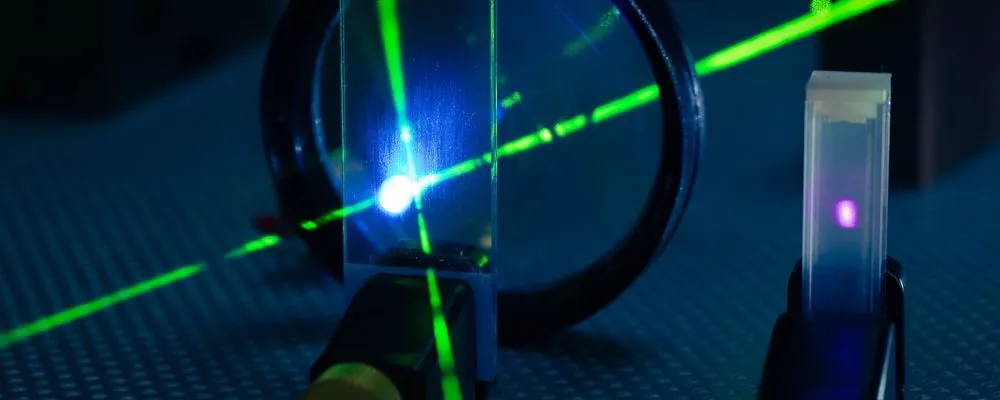
A heads-up display usually consists of a source of light, such as a cathode ray tube, phosphor crystals or an LED. This source is placed at the focal point of a reflector or lens, which sends out the light rays parallel to one another, so the image is perceived to be at infinity. In optics, this process is known as collimation.
Those parallel rays then hit a combiner, an angled piece of partially reflective glass that acts as a beam splitter. The combiner reflects the projected image toward the pilot's eyes while still letting light from the outside world pass straight through it. The two views overlap, which gives the impression of information painted onto the glass. The real payoff of collimating the image at infinity is this: because the rays are parallel, the eye stays focused on the distant scene and never has to refocus back and forth between the symbols and the world beyond. That saved fraction of a second is exactly why the technology was worth inventing.
The most important part of a HUD is the computer, which grants purpose to the aforesaid optical manipulation. The computer collects information from the vehicle and converts it into light signals that get projected in front of the pilot. Today, LED and LCD are preferred over CRT due to their more robust and compact construction.
HUD Design Considerations
By nature of their design, HUDs risk losing their functionality to more conventional dials and screens, if their visibility is not optimal. Thus, there are several design considerations to be made when they are designed for a particular application.
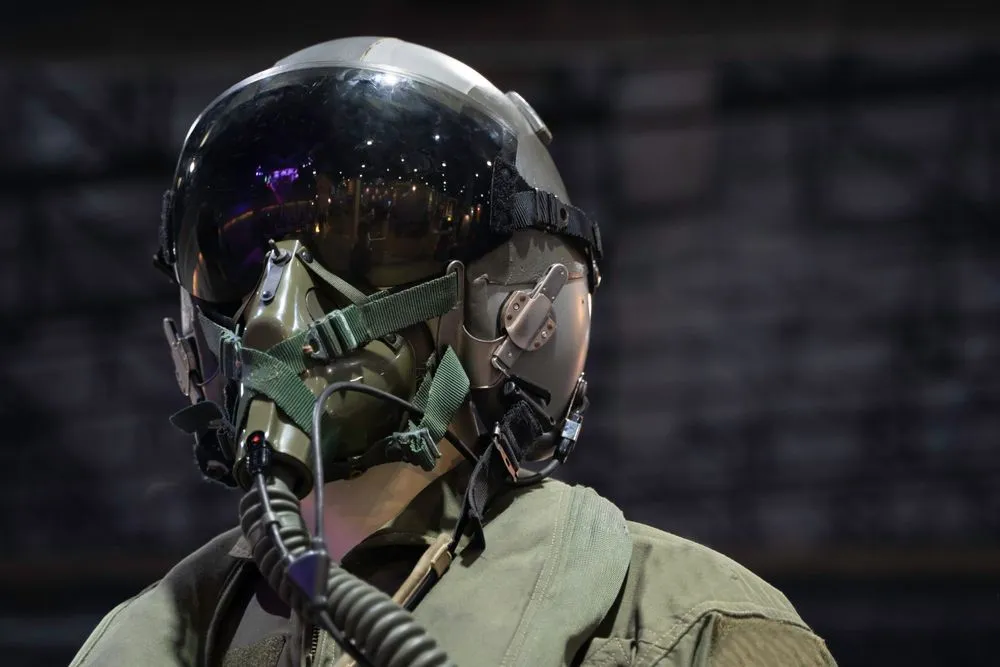
1. Visibility
Color, contrasts and resolution are the biggest considerations in HUD design. Since the landscape rapidly changes for vehicles in most scenarios, the display must be clearly visible in all circumstances. At the same time, the pilot’s field of vision, and the distance at which they sit from the HUD unit, also known as the eye box, should be taken into account.
Most cockpits will have some form of manual and automatic adjustability built into them, to ensure that the HUD remains useful for most pilots. It is also important to design HUDs to work around polarized eye wear. Most non-critical HUD units are not compatible with polarized eye wear.
2. Parallax
The horizontal distance between human eyes is the reason for an object ‘jumping’ when viewed through the individual eye. This can present great concern where HUDs present critical data, such as orientation and the scale of objects. Thus, using a collimator is extremely important, as it projects the image at perceived infinity, and significantly eliminates parallax.
3. Scaling
It is commonly experienced that objects distant to us appear much smaller than they actually are. Since HUDs superimpose over objects that are visible through the screen, they must compensate for the change in scale as the objects come closer. This change of scale should also be communicated to the pilot by changes in the defining parameters.
4. Boresight
Boresighting refers to the process of aligning an object with respect to the three axes in real time. This is especially true in case of aircraft, where HUDs are used for determining their orientation with respect to the artificial horizon.
Applications
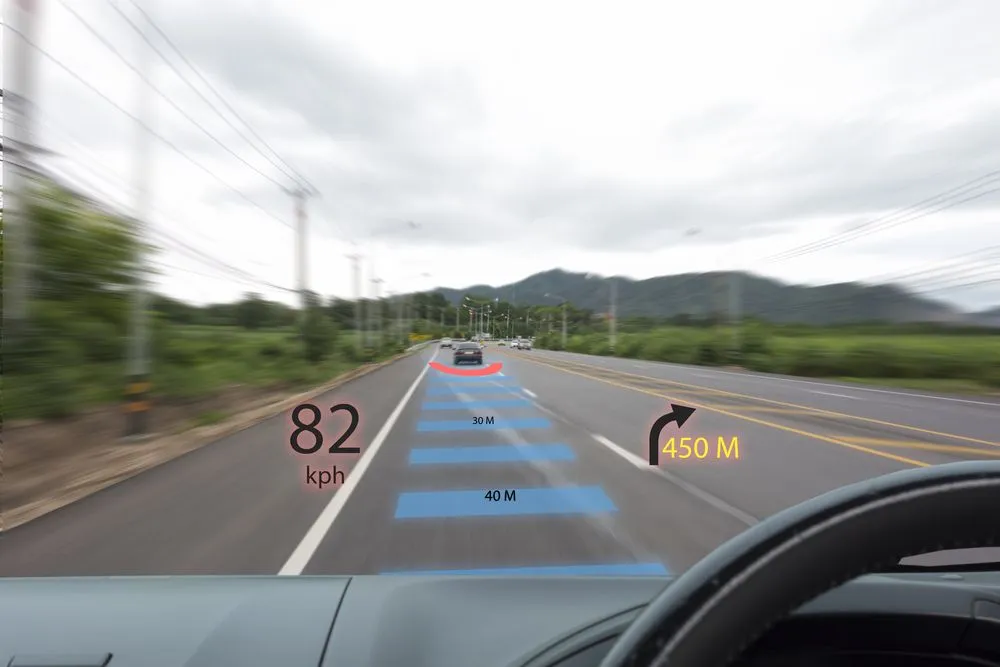
The technology jumped from the cockpit to the road in 1988, when the Oldsmobile Cutlass Supreme became the first production car with a HUD, using a vacuum fluorescent display to float speed and warning lights onto the windscreen. Today, HUDs are common in high-end automobiles, where they display vital information such as navigation, speed, RPMs, and in some cases, even the braking distance between two vehicles.
They are steadily making their way into more budget-friendly cars as a way to improve their appeal to the mass market. The cutting edge is now the augmented reality (AR) HUD, which does more than just show numbers. Cars like the Mercedes-Benz EQS and S-Class throw a large virtual image that appears to float around 10 meters (about 33 feet) ahead of the bonnet, then use eye tracking to paint navigation arrows that look like they are lying on the actual road. BMW has gone wider still, with a Panoramic Vision band stretching projected data across the full base of the windscreen for both driver and passenger. HUDs are also an emerging trend in wearable technology, where they integrate with eyewear.
However, their most prolific use remains in the realm of aviation and warfare. HUDs finding use in these areas usually have multicolor displays, which are capable of displaying symbolic information, such as altitude and orientation, alongside more graphical information such as terrains.
Advanced heads-up displays are also capable of displaying thermal signatures and night vision. HUDs fitted in the helmets of fighter pilots have an eyeball tracking system that enables them to cue and fix targets based on where the pilot is looking. This greatly reduces their reaction time, which is of utmost importance in the midst of war.
A Note On Ingenious HUDs
What if you have an old car and a tight budget, but a knack for being tech-savvy? Software developers have made a dinky little workaround that lets you have your own HUD for no additional cost! All you need to do is download an application on your smartphone.
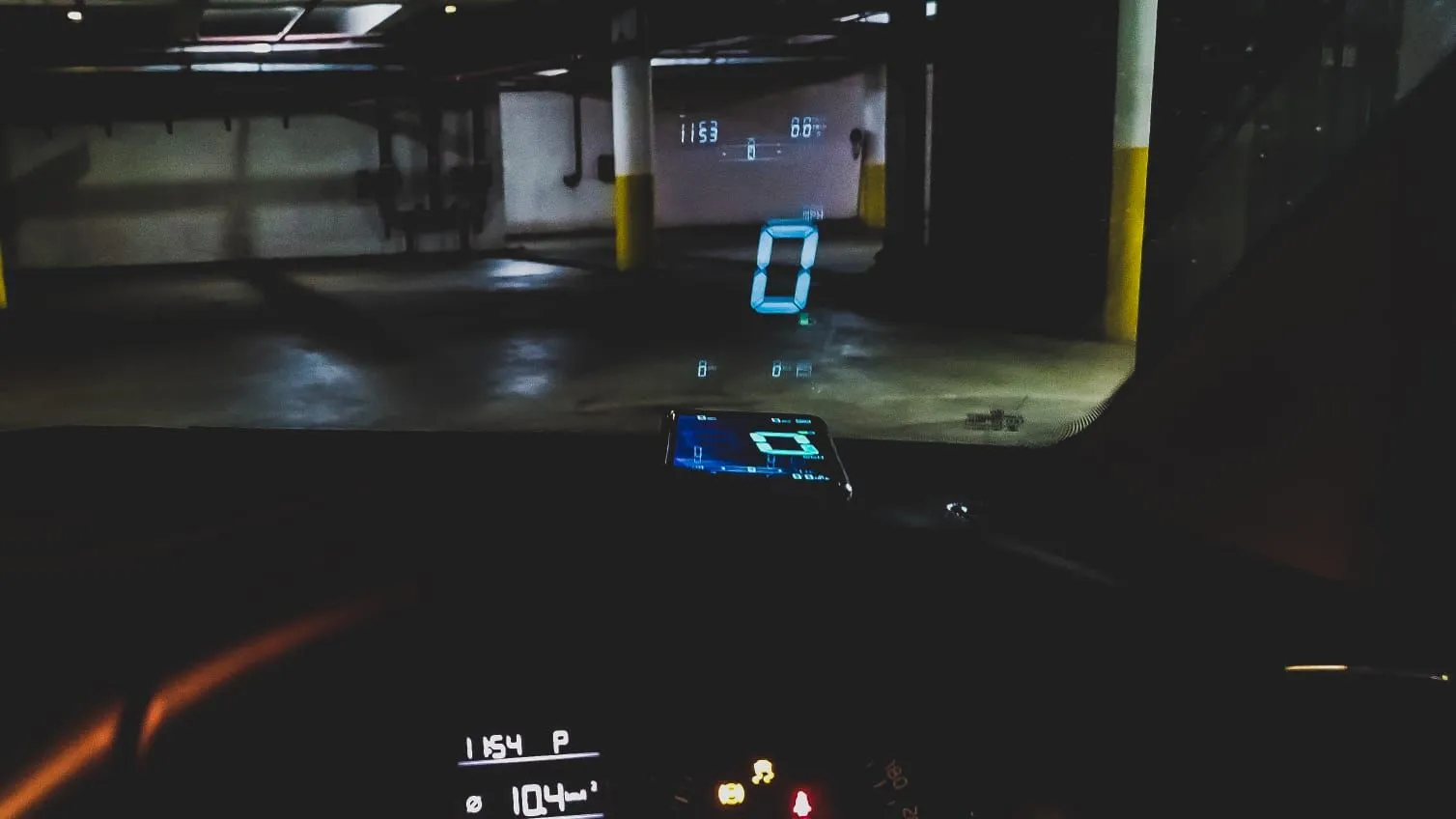
The application derives data, such as speed and direction, from dedicated apps and GPS connectivity in the phone and displays them on the phone screen. However, the catch is that the data is displayed in an inverted manner. The phone must be placed on the dashboard where the windscreen meets the car body, and the inverted image is then reflected onto the glass.
Since no glass can reflect or transmit light completely, it is possible to get a reliable visual dashboard without incurring additional costs. Some companies even sell dedicated screen attachments on which the visual can be reflected much more clearly than it would be on the windscreen!
References (click to expand)
- A GPS-Based Heads Up Display System for Driving Under Low Visibility Conditions. Center for Transportation Studies, University of Minnesota.
- AC 90-106A - Enhanced Flight Vision Systems. Federal Aviation Administration.
- AC 20-167A. Federal Aviation Administration.
- Jet Fighter with a Steering Wheel: Inside the Augmented Reality Car HUD. IEEE Spectrum.
- Head-up display. Wikipedia.