Table of Contents (click to expand)
- What Is Electromagnetic Radiation?
- Is WiFi A Microwave Or A Radio Wave?
- Microwave Ovens And WiFi Routers
- A Clash Of Frequencies
- Do Microwaves Interfere With Bluetooth Too?
- Is This Interference Dangerous?
- How To Eliminate The Interference Between Microwave And WiFi Signals?
- What Are Microwaves Used For Besides Cooking?
Yes, microwave ovens can disrupt WiFi, but only on the 2.4 GHz band. A running microwave operates at 2.45 GHz and leaks a small amount of that energy past its shielding, swamping nearby 802.11b/g/n routers that share the band. Moving to the 5 GHz or 6 GHz bands (802.11a/ac/ax/be) avoids the problem, as does keeping the router and the microwave a few metres apart.
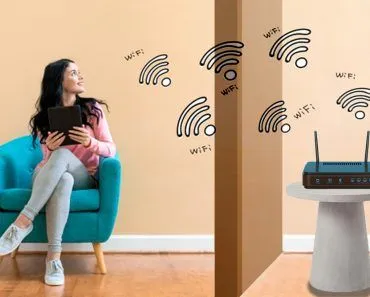
If you have a microwave, you may have noticed that when it is in use, you may also have problems loading web pages on your smartphone, laptop, or other Internet-enabled device, especially if your router and microwave are in close proximity.
Why does this happen? Why does turning on the microwave hinder your WiFi connectivity?
Like most things that have to do with “electrical signals,” the answer begins with the following term: electromagnetic radiation.
What Is Electromagnetic Radiation?
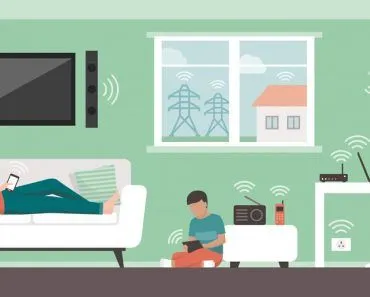
We are basically constantly surrounded by electromagnetic radiation. Visible light, something that permeates everything around us, is a form of electromagnetic radiation. Likewise, many other things, including mobile phones, television remote controls, microwave ovens, WiFi, work via electromagnetic radiation.
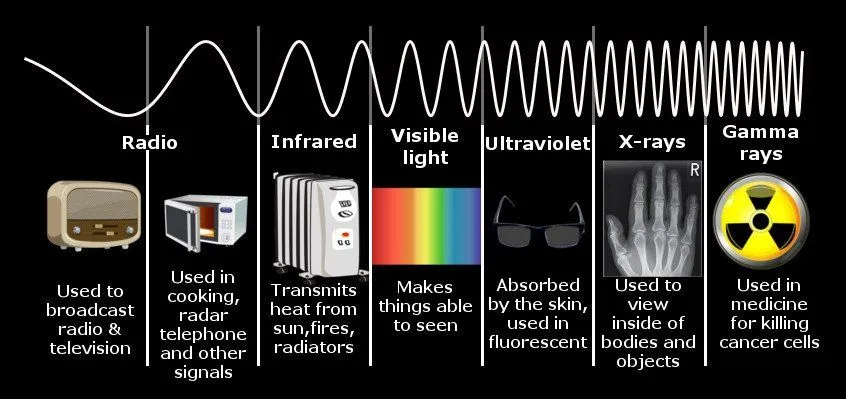
Electromagnetic radiation comes in different forms depending on the frequency. Gamma rays and X-rays have high frequencies and therefore high energies, while radio waves and microwaves are on the other side of the band as they have lower frequencies. You may remember the following chart of the electromagnetic spectrum from your high school science class.
Is WiFi A Microwave Or A Radio Wave?
Here is a question that trips up a lot of people: is your WiFi signal a radio wave or a microwave? The honest answer is that it is both, and there is no contradiction in saying so.
Microwaves are not a separate species of radiation sitting apart from radio waves. They are simply the highest-frequency slice of the radio part of the electromagnetic spectrum. Broadly defined, microwaves span wavelengths from 1 metre down to 1 millimetre, which corresponds to frequencies between roughly 300 MHz and 300 GHz (radio engineers often use a tighter 1 to 100 GHz range). Everything in that band is still a radio wave; we just give the short-wavelength end its own name because it behaves in usefully different ways.
WiFi runs at 2.4 GHz and 5 GHz, both of which land squarely inside that microwave sub-band. So calling WiFi a "radio wave" and calling it a "microwave" are both correct, and the boundary between the two labels is a naming convention rather than a physical wall. This is exactly why a microwave oven humming away at 2.45 GHz and a router broadcasting at 2.4 GHz can end up stepping on each other. They are close neighbours in the same stretch of spectrum.
Microwave Ovens And WiFi Routers
As mentioned earlier, many everyday appliances rely on electromagnetic waves to function. Two of the most common household appliances are microwave ovens and WiFi routers, both of which emit electromagnetic radiation to function; microwave ovens emit microwaves to heat food, while WiFi routers emit radio waves.
Microwave ovens convert electricity into longer-wavelength electromagnetic waves, called microwaves, which are emitted inside a tightly sealed metal box. Theoretically, these waves bounce back from the wall and should not bypass the wall.
Although it is still not quite clear how the heat is distributed throughout the food being subjected to the waves, microwaves are known to be extremely adept at exciting and vibrating water molecules, and most natural food has some water constituent in it.
These microwaves lead to vigorous motion of the water molecules, creating intermolecular friction, which generates the heat to cook the food.
A Clash Of Frequencies
If you are a science freak like us, constantly looking for causality and correlation between almost everything that exists, you may have noticed that the moment you stuff your food into the microwave and turn it on, your WiFi connection becomes unpredictable.
In some cases, your device may not connect at all, but after you turn off the microwave, the Internet connection is back to normal.
If you haven’t observed this, try it for yourself. Put your WiFi modem and microwave in the immediate vicinity and turn on the microwave. Install some Internet speed tests, such as Speedtest of Ookla.
Try to heat water in the microwave and check your Internet connection while the microwave is running. You will likely experience connection problems or speed degradation… but why does that happen?
Well, the reason for this problem is the frequency of operation, which overlaps between your WiFi modem and the microwave oven. Both usually operate at a frequency of about 2.4 GHz. However, unlike WiFi modems, microwave ovens do not transmit data, but emit signals in the unlicensed 2.4 GHz ISM band (Industrial, Scientific and Medical band).
As we have already said, a well-shielded microwave oven of the brand should not allow microwaves to escape within its metallic boundaries; in principle, it should prevent all the microwave radiation produced in the oven from escaping to the outside, but in reality it does not.
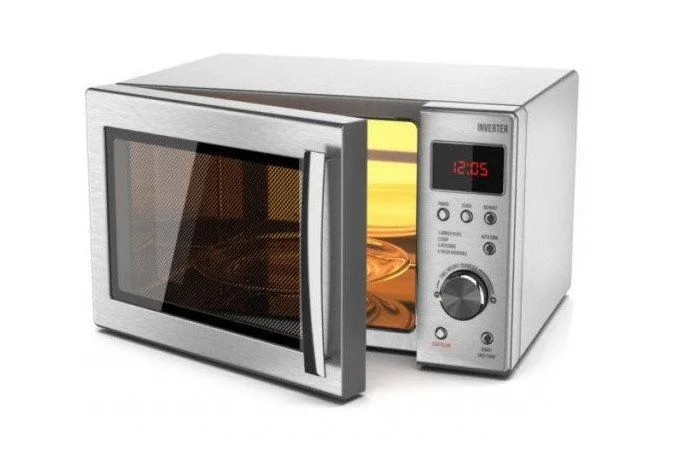
Some microwave radiation leaks out and interferes with WiFi signals, i.e. 2.4 GHz radio waves. Note that this interference at 2.4 GHz is caused by commonly used WiFi devices (e.g., WiFi routers, smartphones, cordless telephones, Bluetooth devices, and so on) that work on 802.11b, 802.11g and 802.11n standards on the 2.4 GHz band. (Note: 802.11a is a 5 GHz standard and is not affected by microwave-oven interference.) Other devices that share the same 2.4 GHz band and can cause similar interference include Bluetooth devices, baby monitors, cordless phones, and older wireless security cameras.
Do Microwaves Interfere With Bluetooth Too?
If a microwave oven can bully your WiFi, what about your wireless earbuds or Bluetooth speaker? The short answer is yes, in principle. Bluetooth lives in the very same 2.4 GHz ISM band as 2.4 GHz WiFi, transmitting between 2.402 and 2.480 GHz, so a leaky oven radiating near 2.45 GHz can land right on top of it.

In practice, though, Bluetooth shrugs off this interference far better than old-style WiFi does, and the reason is a clever trick called frequency-hopping spread spectrum. Rather than parking on one channel, Bluetooth Classic chops your data into packets and rapidly skips across 79 channels spaced 1 MHz apart, hopping about 1,600 times per second. Bluetooth Low Energy does the same across 40 wider channels. Even if a microwave is drowning out part of the band at any given instant, most of those hops still land on clear frequencies.
Since the Bluetooth 1.2 specification back in 2003, devices have gone a step further with adaptive frequency hopping (AFH), which detects which channels are congested or noisy and simply drops them from the hopping sequence. The upshot is that a running microwave might cause a brief stutter in your music or a short audio dropout, but it rarely severs a Bluetooth connection outright. As with WiFi, putting a few metres between the oven and your devices makes even that stutter disappear.
Is This Interference Dangerous?
Of course, mixing and mashing electromagnetic waves emanating from the WiFi device and emerging from the microwave could make us nervous if it could damage the device. Fortunately, this is not the case, and you should not worry that your device or gizmo will be damaged by this interference from electromagnetic waves.
Remember that it is not the actual devices that mix, but only the waves emanating from them.
Nor should you worry about radiation, as we are all surrounded by giants and devices that constantly emit these high-frequency electromagnetic waves, including our smartphones, computers, appliances, power lines, baby monitors, etc. Only if your microwave completely strangles the Internet, even though the WiFi router is several meters away, should you give enough thought to asking the manufacturer for replacement / repair.
How To Eliminate The Interference Between Microwave And WiFi Signals?
The best solution to this problem would be to upgrade your WiFi equipment to a system that operates in the 5 GHz band. Modern 802.11n routers operate in this band, not in the 2.4 GHz band.
As you can see, 2.4 GHz and 5 GHz are two bands that your router can use for its signals. The advantage of using 5 GHz is that it not only prevents interference from the above mentioned devices that operate in the 2.4 GHz band, but also supports better connectivity (to the order of more than 1,000 Mbps). However, the operating range of a 5 GHz router is smaller than one operating at 2.4 GHz.
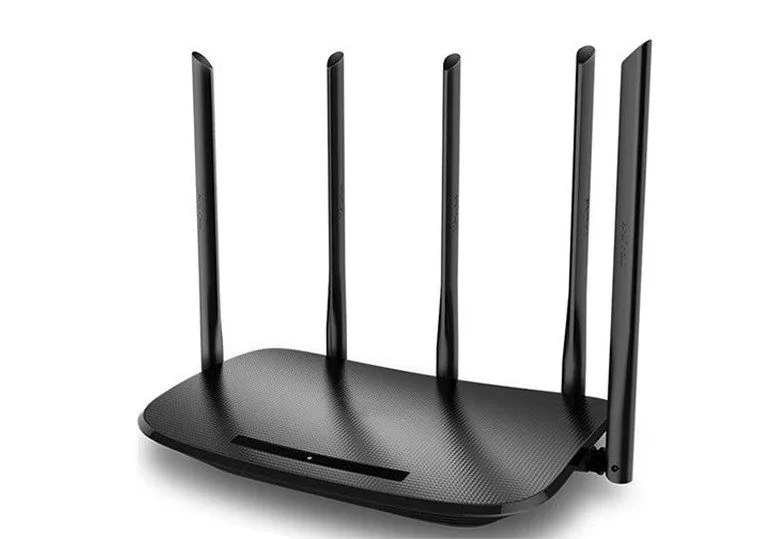
Another way to minimize interference is to keep the microwave a few meters away from the router. Since water is also a good absorber of electromagnetic waves, if you have a fish tank, it should also be kept a few meters away from the router.
Finally, a cheap way to improve this situation is to interrupt the “Internet work” while the microwave is still on. Or you can just get used to the fact that the Internet behaves badly when surfing next to the microwave. Best of all, the interruption of the Internet connection should rarely last more than two minutes!
What Are Microwaves Used For Besides Cooking?
It is easy to assume that "microwaves" means the box on your kitchen counter, but the oven is only one small use of this band. Microwaves quietly run a huge amount of the technology you rely on every day.

Radar is one of the biggest. Air traffic control, weather radar and even police speed guns all bounce microwaves off distant objects to measure their range and speed. Satellite and spacecraft communication lean heavily on microwaves too, especially the C-band (about 4 to 8 GHz) and Ku-band (about 12 to 18 GHz), because these frequencies punch through the atmosphere, clouds and light rain with ease.
Closer to the ground, point-to-point microwave relay links carry phone and data traffic between towers, though the curve of the Earth limits each hop to roughly 48 to 64 km of line of sight. The GPS receiver in your phone or car listens for faint microwave signals from satellites, and of course WiFi, Bluetooth and cordless phones all share the band. Astronomers even use it to study the cosmos: much of radio astronomy works at microwave frequencies, and it was microwaves that revealed the faint afterglow of the Big Bang, the cosmic microwave background.
References (click to expand)
- 802.11ac: The Fifth Generation of Wi-Fi - www.cs.odu.edu:80
- How Can WiFi Defeat Interference from Microwave, Baby .... people.csail.mit.edu
- Wireless Communication Electromagnetic Spectrum (3kHz. The University of Washington
- M Brain. The Walkie-Talkie Network WiFi's Radio Technology How .... The State University of New York at Albany
- IEEE 802.11b Wireless LANs. The University of Colorado
- TM Taher. MicroWave Oven Signal Interference and Mitigation for Wi-Fi .... Illinois Institute of Technology
- Microwaves - NASA Science
- Microwave - Wikipedia
- Bluetooth - Wikipedia